
Configure a notification provider
Add provider credentials, sender identity, endpoint settings, test delivery, and safe credential rotation.
Before you begin
Use an administrator account. Obtain provider credentials with least privilege, verified sender/domain or phone identity, permitted regions/recipients, and known rate/concurrency limits. Confirm the public OpsKnight origin and outbound network policy.
Open the feature
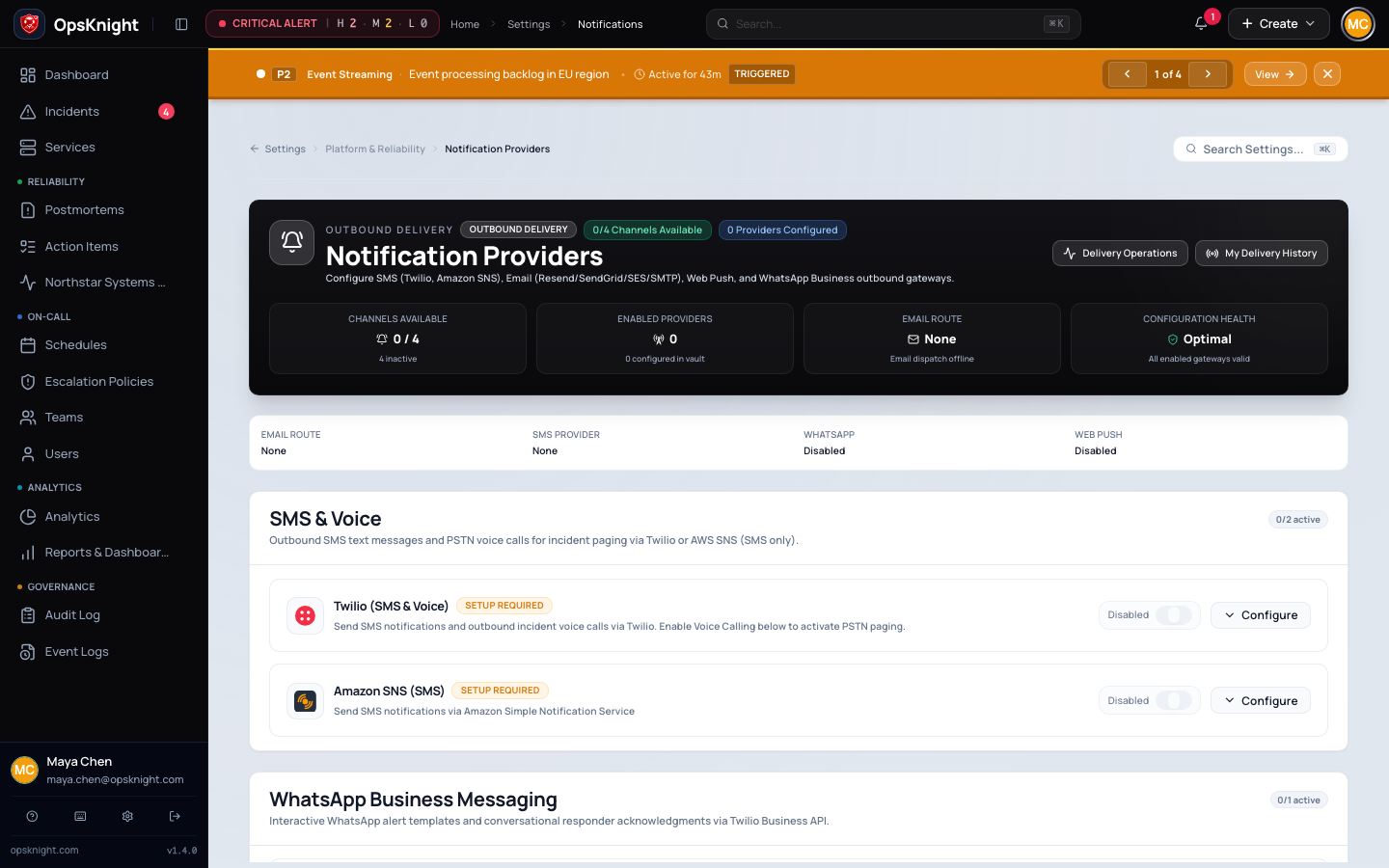
Open Settings → Notifications and select the provider/channel configuration.
Configure the provider
- Choose the supported provider and enable it only after fields are ready.
- Enter the provider-specific credential and sender/region/host/port fields shown.
- For SMTP, configure host, port, user, password, sender, and TLS mode correctly.
- For Resend/SendGrid/SES, use the exact API/access credentials and verified from-address/region.
- For SMS/voice/push, complete the provider-specific endpoint/account/application settings shown and linked reference.
- Save, then run a test to a controlled recipient.
What OpsKnight does
OpsKnight encrypts stored provider secrets, evaluates enabled providers/endpoints/routing, creates durable notification intents, and records provider attempts/outcomes. Saving credentials does not prove provider acceptance or human receipt.
Verify it worked
Confirm provider health/test result and actual controlled delivery. Inspect notification history for intent, attempt, provider identifier/outcome, and terminal/retry state. Then run a synthetic incident through the intended escalation/service route.
Change or undo it
For rotation, create the new provider credential, update OpsKnight, test, then revoke the old credential. To disable, first inventory affected routes/responders and provide an alternate channel. Retest after any sender/domain/region/network change.
Troubleshooting
Authentication rejected: confirm credential value/type, account/region, revocation/expiry, and server clock.
Provider accepts but recipient does not receive: inspect suppression/spam/carrier/device state and provider delivery feedback; sent is not delivered.
Secret decryption fails: restore the matching ENCRYPTION_KEY; re-enter credentials only through controlled rotation.
Next steps
Last updated for v2.0.0
Edit this page on GitHub