 OpsKnight
Own the incident.
From first signal to final review.
Know what happened, who is responding, and what comes next. One open-source platform you host and control.
- Self-hosted
- AGPL-3.0-only open source
- Docker or Kubernetes
The response
When something breaks, everything connects.
An alert becomes an incident. The incident finds its responder. The team works the problem together, and every response leaves you better prepared.
A signal becomes something actionable.
An alert arrives through a verified integration. Related signals fold into a single incident, with the service and its telemetry already attached.
 Checkout API · Elevated latencyp95 latency > 4.5s (threshold 2.0s)
- Related signal folded inKey
checkout-api-latency - Elevated checkout error rateCheckout API · Commerce Reliability
The right person. The right moment.
The schedule already knows who is on call. OpsKnight reaches them by voice, push or chat, records every delivery, and hands over ownership the moment they acknowledge.
- Voice call+0:04Sending Answered
- Mobile push+0:02Sending Delivered
- SMS+0:03Sending Delivered
- Microsoft Teams+0:02Sending Card posted
Owned by Maya Chen. Escalation timer cancelled.
Internal response. Public clarity.
Responders work the problem in a dedicated chat channel. Customers see a scoped status update. Both stay in step, in the same system.
- MC
Investigating checkout latency spike after deployment v2.4.1.
- DV
Read replicas healthy. Isolating third-party gateway pool.
- OK
Attached APM trace evidence to the incident timeline.
Update · 14:28 UTCInvestigating elevated checkout latency. Next update in 15 minutes.
Resolved, and remembered.
Service comes back. The timeline, MTTA and MTTR, and the postmortem's follow-up work are kept, under the retention rules you set.
- Timeline preservedEvery event and audit entry, timestamped
- Response metrics recordedMeasured against your reliability objectives
- Postmortem opened3 follow-up actions, each with an owner
Replay the whole incident.
One checkout incident, from the first spike in latency to the postmortem. Pick any moment, or let it play.
Inbound signal detected.
Datadog reports elevated checkout latency. An alert is ingested via configured integration credentials and matched against alert rules.
Checkout p95 > 4.5s (threshold: 2.0s)Datadog → Checkout APIThe product
The product behind the response.
Every screen here is OpsKnight v2.0.0 itself, running on demo data. Nothing is mocked up.
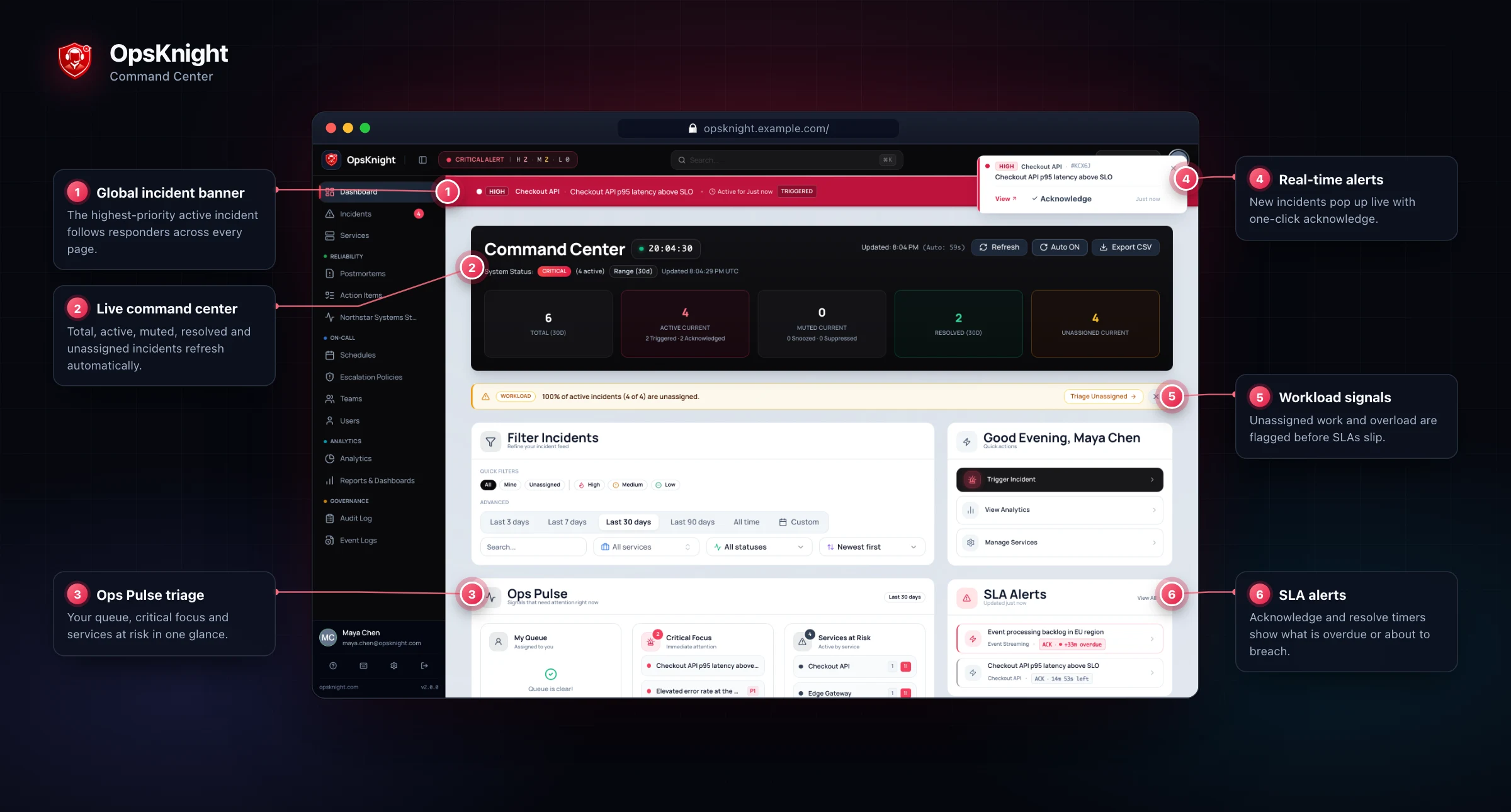
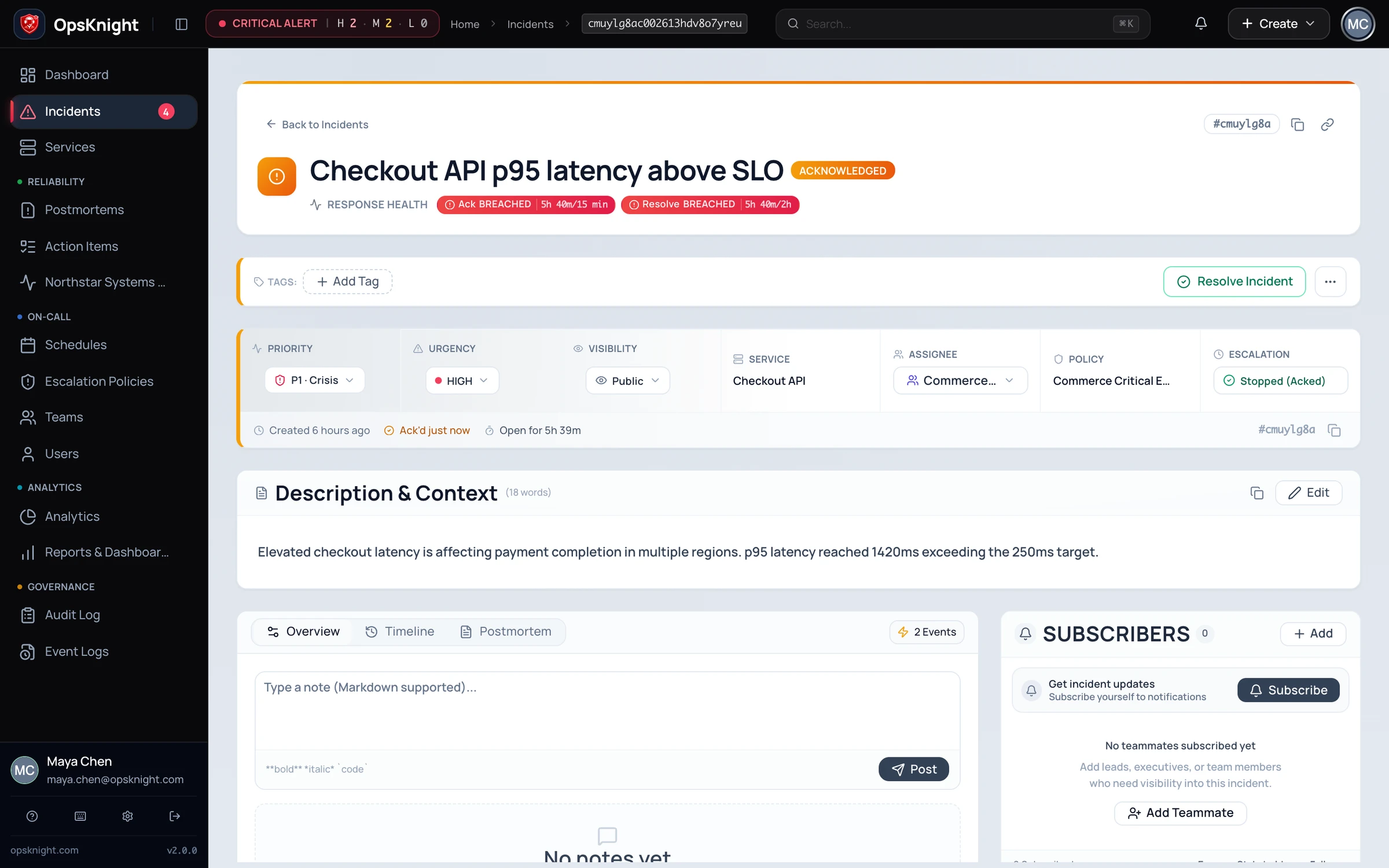
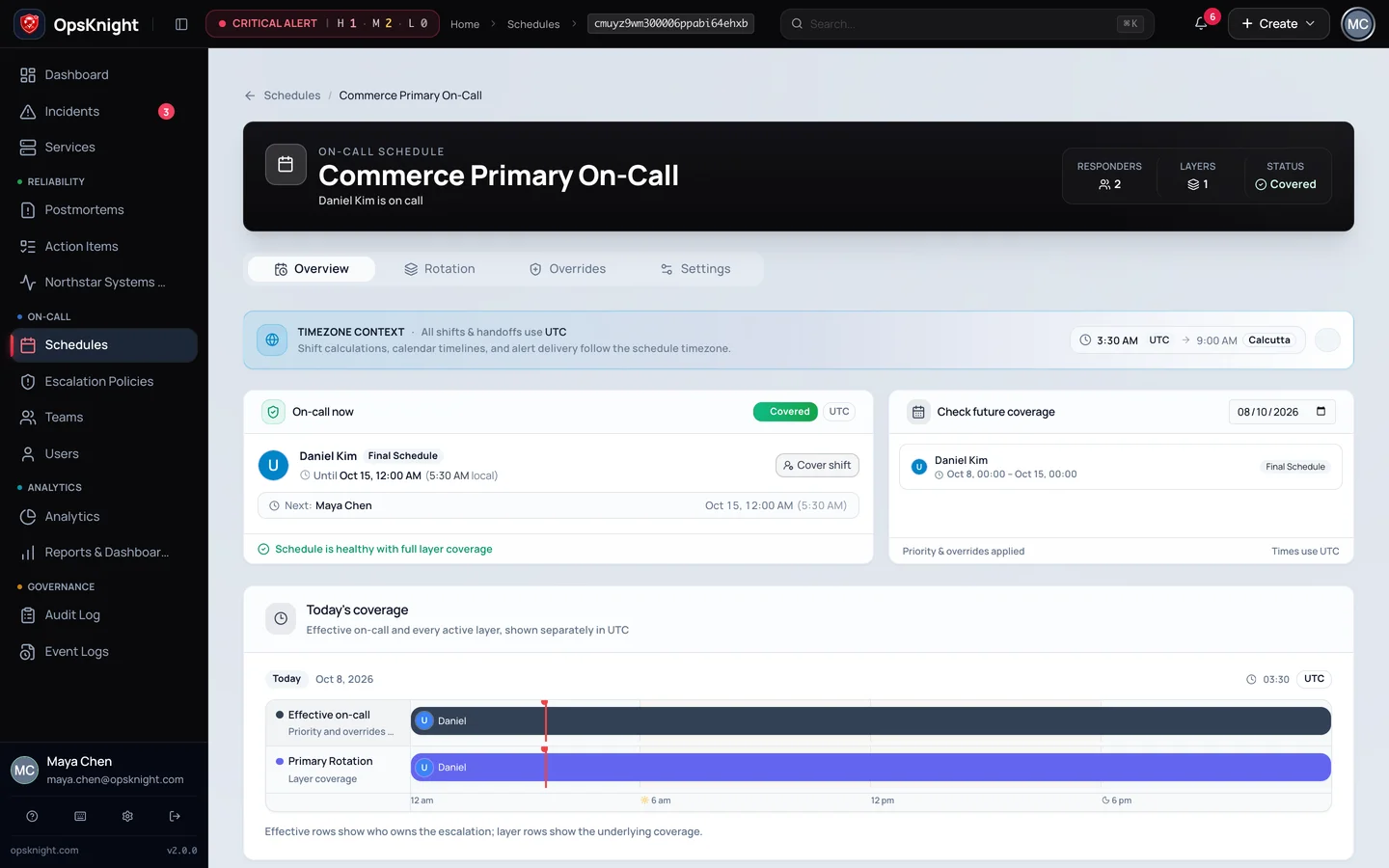
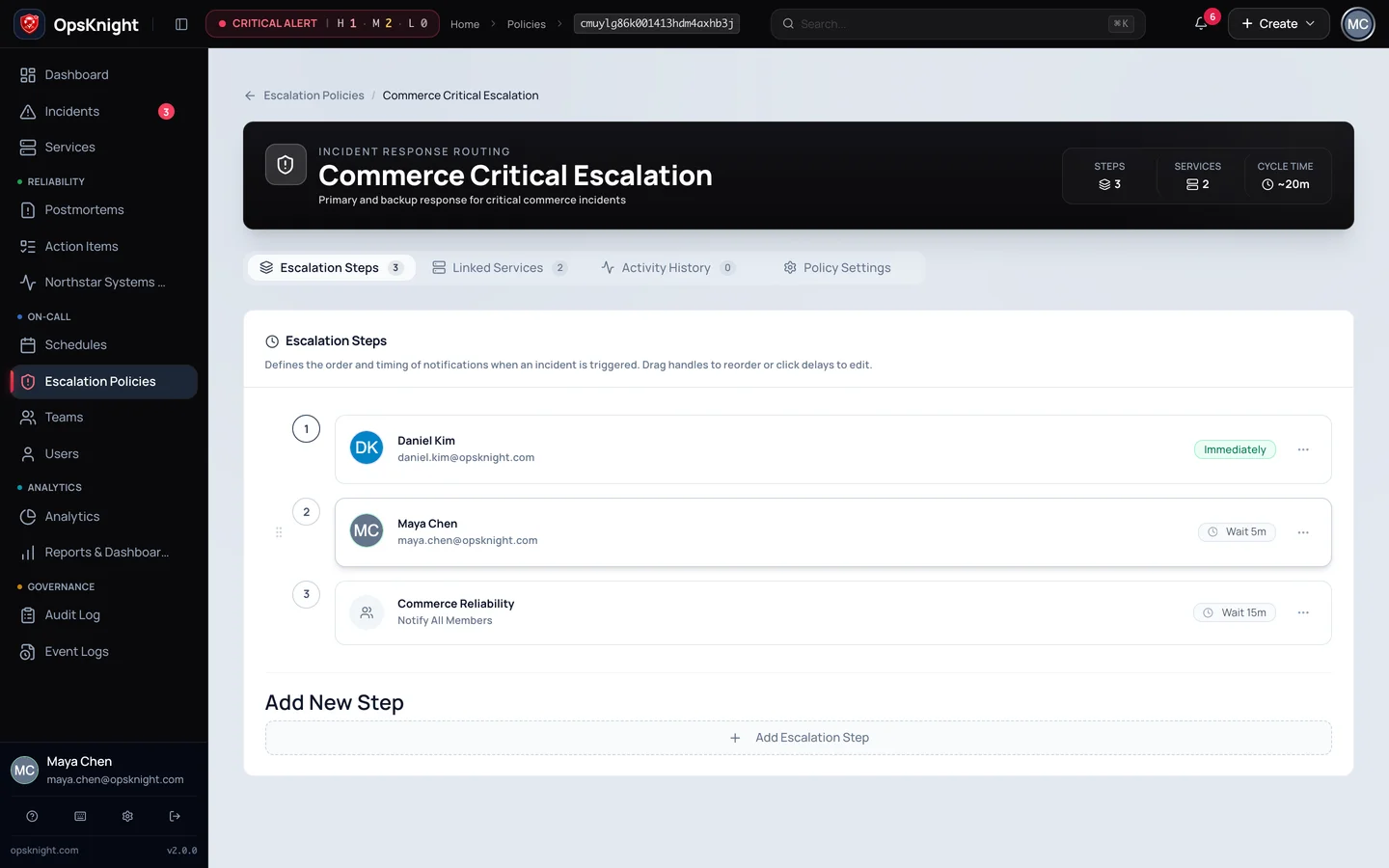
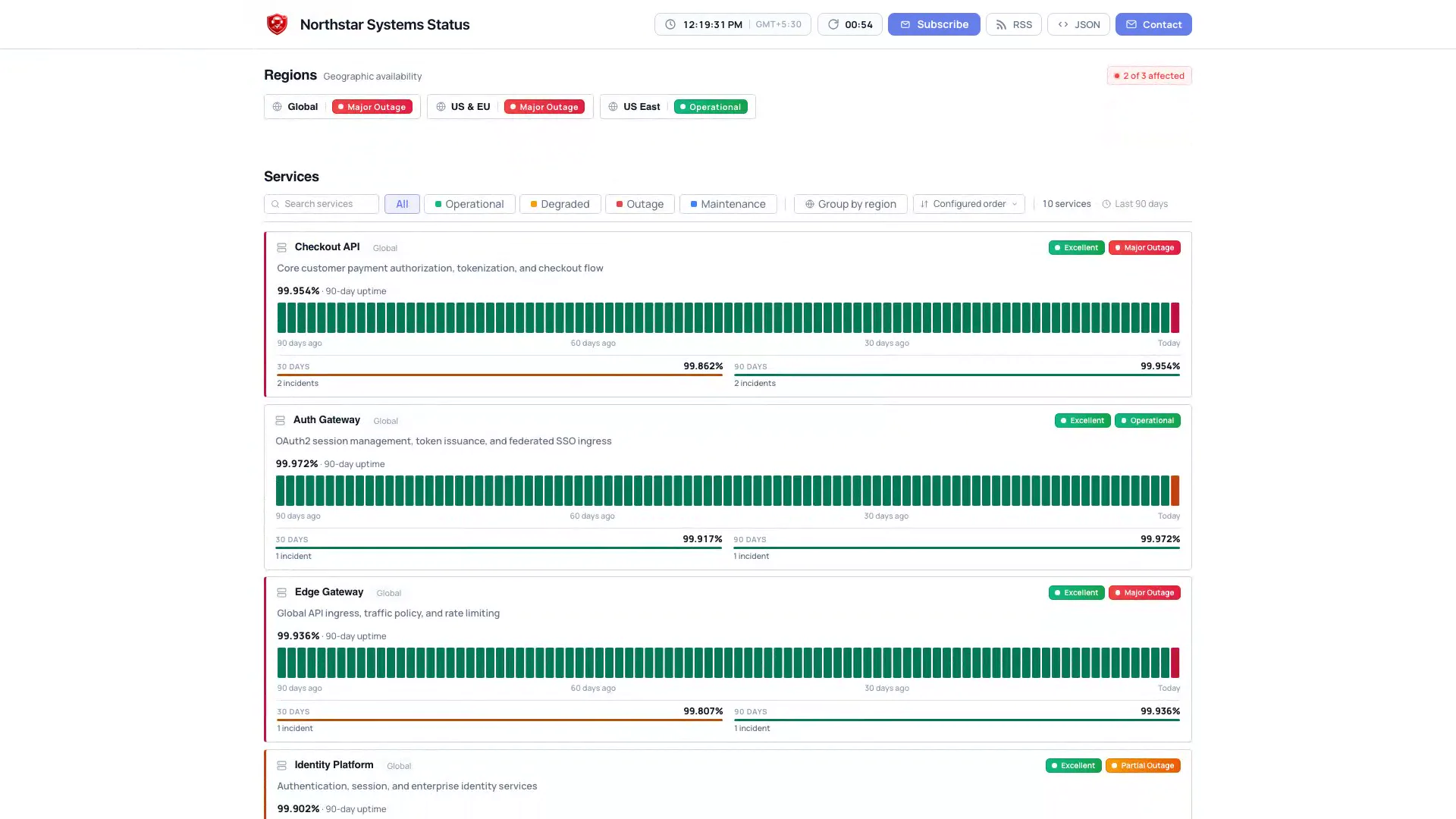
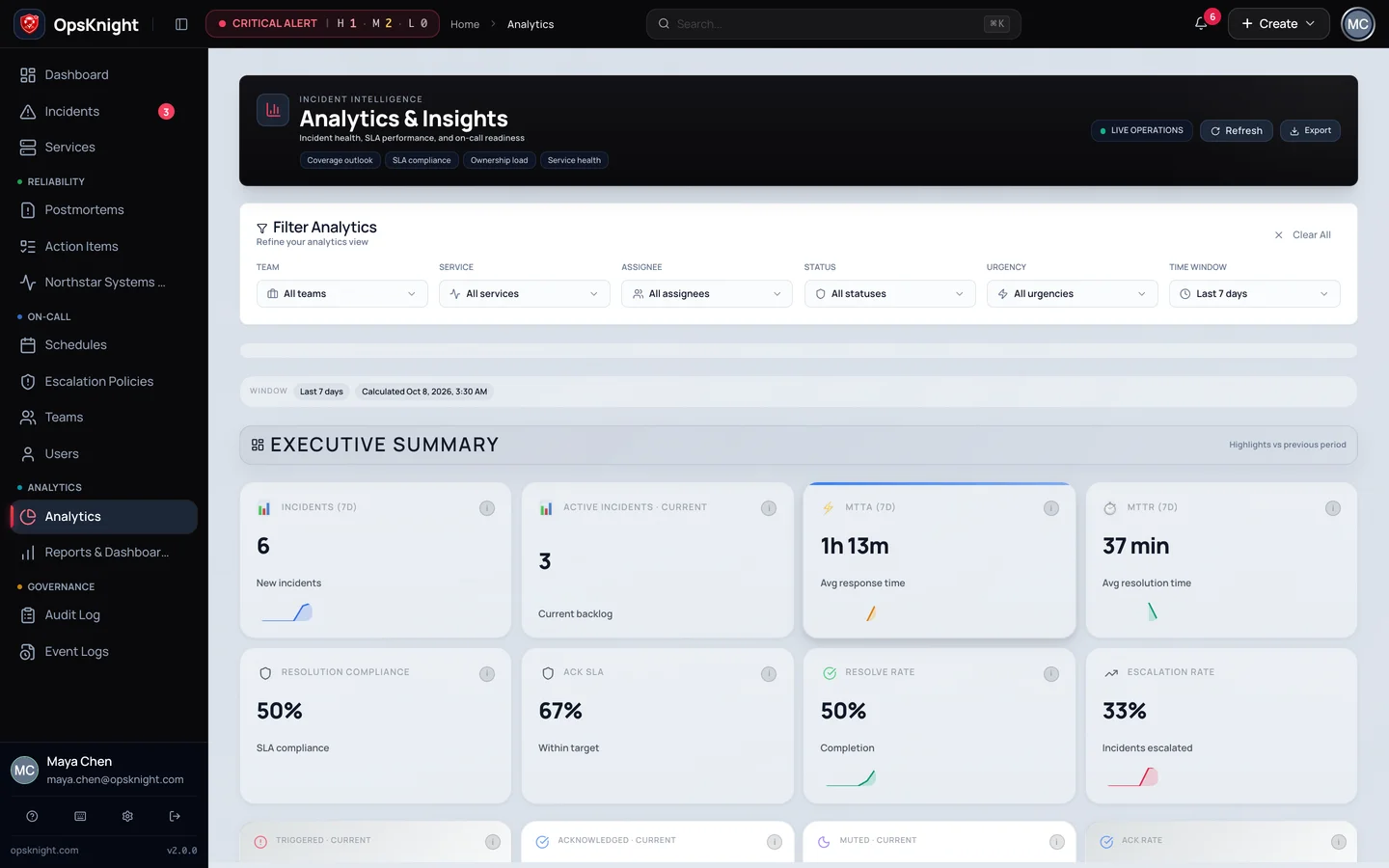
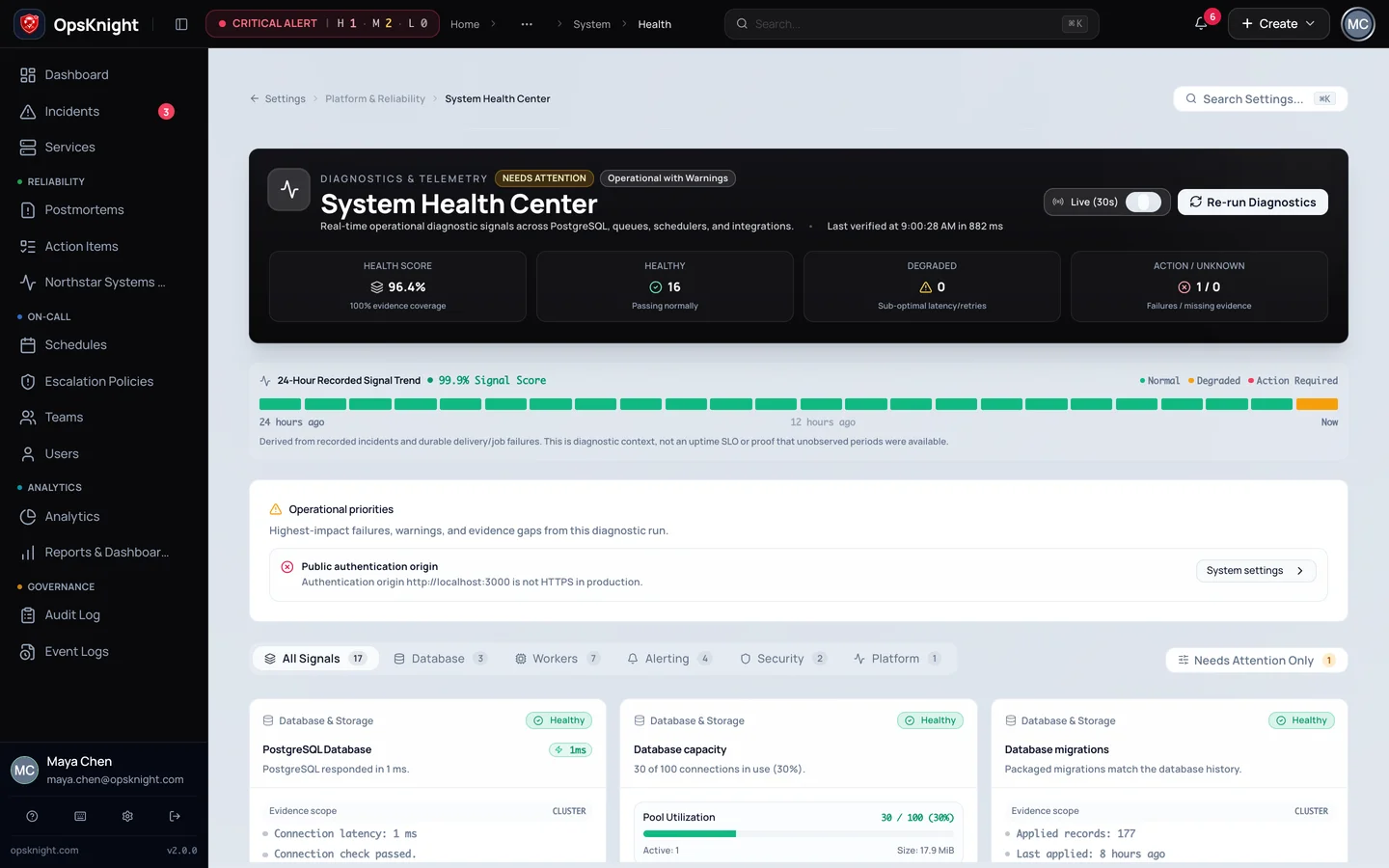
Tap Inspect for the full-resolution view.
Follow-The-Sun On-Call Coverage
Commerce Primary On-Call rotation and schedule detail from the Northstar Systems fixture.
- RotationFollow-The-Sun 24/7 Coverage
Timezone-aware primary and secondary rotations with zero coverage gaps or unassigned handoffs.
- Shift SwapsSelf-Service Overrides
Responders swap shifts without managerial reconfiguration, updating active escalation targets instantly.
- ValidationDST-Safe Handoff Boundaries
Timezone-aware shift transitions maintain continuous coverage across daylight saving adjustments.
Capabilities
Built for the entire incident lifecycle.
The core incident platform runs on your infrastructure, connects to your identity, and keeps the application data plane under your operating control.
Incident Command & Live Timeline
Keep ownership, responders, synchronized ChatOps war rooms, and immutable audit timelines organized from first alert to final resolution.
Explore Incident Command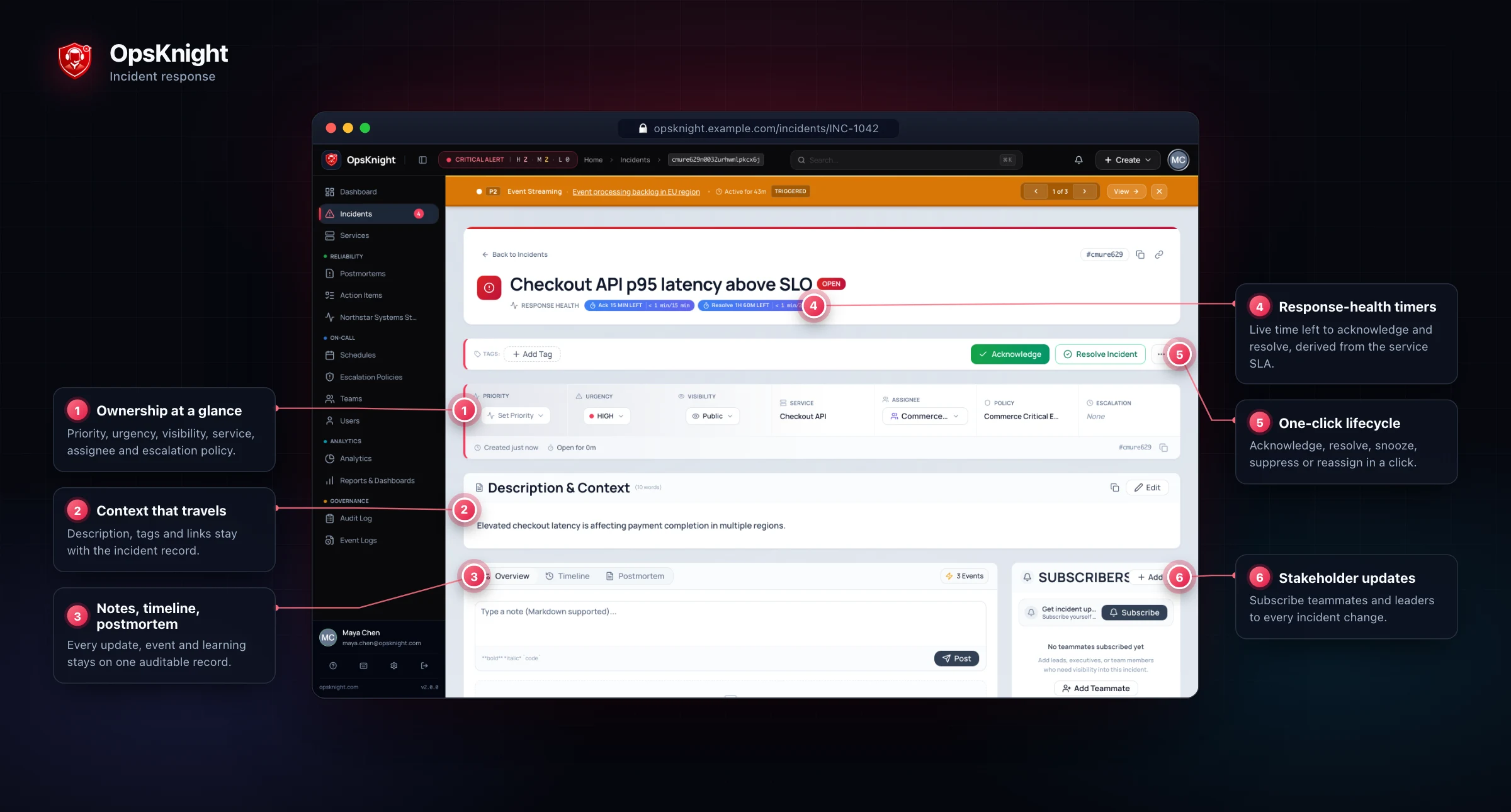
On-Call & Escalation
Design timezone-aware primary and secondary rotations with DST-safe handoffs and self-service shift overrides.
Multi-Channel Paging
Dispatch urgent pages across voice calls, push notifications, SMS, and Teams with verified delivery intents and Quiet Hours.
Slack & Teams ChatOps
Coordinate in native chat channels with automated war rooms, two-way lifecycle sync, interactive cards, and participant tracking.
Decoupled Status Pages
Publish real-time service health, 90-day availability history, and scoped maintenance notices without exposing internal response chatter.
Analytics & Postmortems
Track MTTA/MTTR response velocity, pinpoint noisy monitor flapping, and conduct blameless 5-Whys retrospectives.
Architecture
Start simple. Scale the pieces that need it.
One process to get going in minutes. Separate runtime roles when a part of the system needs to scale on its own.
The incident platform has to survive the incident too.
Critical, transactional and bulk traffic run in separate lanes, with retries, worker health, Prometheus metrics and structured logs you can watch.
Operations & scalingEverything in one container, next to PostgreSQL. The quickest way to evaluate.
- Web HTTP / UIUser interface, REST API, webhook endpoints
- Scheduler & RotationsOn-call shifts, escalation timers, cron
- Notification WorkersVoice, SMS, push, ChatOps dispatch
- Status ProjectorPublic service health page publishing
- Urgent paging
- Bulk ingestion
- Requests
- Background work
Evaluation topology. Bundled PostgreSQL is not highly available; external managed PostgreSQL is recommended for production HA.
Deployment guideSecurity
Your infrastructure. Your users. Your keys.
Bring your own identity provider, keep every record in your own database, and keep a trail of every change.
- Identity
- OIDC and SCIM 2.0Sign in with Okta, Entra, Google or Auth0. Users and groups provision themselves.
- Access
- Roles, scoped tokens, an auditor seatLeast privilege by default. Any signed-in session can be revoked in one click.
- Encryption
- AES-256-GCM at restIntegration secrets and credentials are envelope-encrypted. State lives in your PostgreSQL.
- Audit
- An evidence trailImmutable operator events, DSAR export and erasure, retention holds and exportable evidence.
Plugs into the stack you already run.
28 release-tested alert sources. Signatures verified, duplicates folded, payloads normalised.
Ownership
Incident response, on your terms.
Weighing PagerDuty, incident.io, Opsgenie or Grafana Cloud IRM?See the comparison
- You run it.
On your own infrastructure, in whatever topology suits you: Compose, Swarm or Kubernetes.
- Your data stays put.
Application, database, backups and network boundary stay under your governance.
- You can read every line.
It's open source. Inspect it, pin a release, and evaluate before you commit.
Open source
The source is part of the promise.
Read the code, pin a release, and know exactly what runs inside your infrastructure. No opaque control plane.
- Latest release
- v2.0.0
- Released
- 2026-10-03
- License
- AGPL-3.0-only
git clone https://github.com/opsknight-labs/OpsKnight.git
cd OpsKnight
cp env.example .env

printf 'NEXTAUTH_SECRET=%s\n' "$(openssl rand -base64 32)" >> .env
printf 'API_KEY_SECRET=%s\n' "$(openssl rand -base64 32)" >> .env
printf 'ENCRYPTION_KEY=%s\n' "$(openssl rand -hex 32)" >> .env
printf 'POSTGRES_PASSWORD=%s\n' "$(openssl rand -base64 32)" >> .env

OPSKNIGHT_IMAGE=ghcr.io/opsknight-labs/opsknight:2.0.0 \
  docker compose -f deploy/compose/docker-compose.yml pull
OPSKNIGHT_IMAGE=ghcr.io/opsknight-labs/opsknight:2.0.0 \
  docker compose -f deploy/compose/docker-compose.yml up -d

docker compose -f deploy/compose/docker-compose.yml exec -T opsknight-app \
  node scripts/create-bootstrap-code.mjs
Then open http://localhost:3000/setup, enter the bootstrap code, and create the first administrator.
Questions
What teams ask before they install.
Still unsure? The documentation covers every deployment option in detail.
Is OpsKnight free to use?
The software is open source under AGPL-3.0-only, so you can run it on your own infrastructure without a licence fee. Commercial support is available if your team wants it.
What do I need to run it?
Git, Docker with Docker Compose, and openssl. The bundled Compose stack starts PostgreSQL and OpsKnight together; the quick start above generates the secrets for you.
Can it run with high availability?
Yes. Use the split runtime on Docker, Swarm or Kubernetes with an external, managed PostgreSQL. The bundled database is meant for evaluation and is not clustered.
Which tools does it connect to?
28 release-tested inbound alert sources, plus Slack, Microsoft Teams and Jira. A generic webhook covers internal systems without a dedicated adapter.
Where is my incident data stored?
In your own PostgreSQL database. Integration secrets and notification credentials are envelope-encrypted with AES-256-GCM at rest.
Your next incident is yours to own.
Install OpsKnight on infrastructure you control, and run the whole response from one place.
Live status page