
Create and review a privacy request
Create a user or status-subscriber privacy request, verify identity, assign an operator, and control its lifecycle.
Before you begin
Obtain the request through your approved intake process and retain its external case reference outside free-form notes when policy requires it. Confirm the operator has privacy-management capability. OpsKnight accepts USER and STATUS_SUBSCRIBER subjects. User requests can use automation where the request type is eligible; every status-page subscriber request requires manual fulfilment in 2.0.
Open the feature
Open Settings → Privacy Requests. The board supports search, status/type filters, cursor pagination, assignment, and request detail.
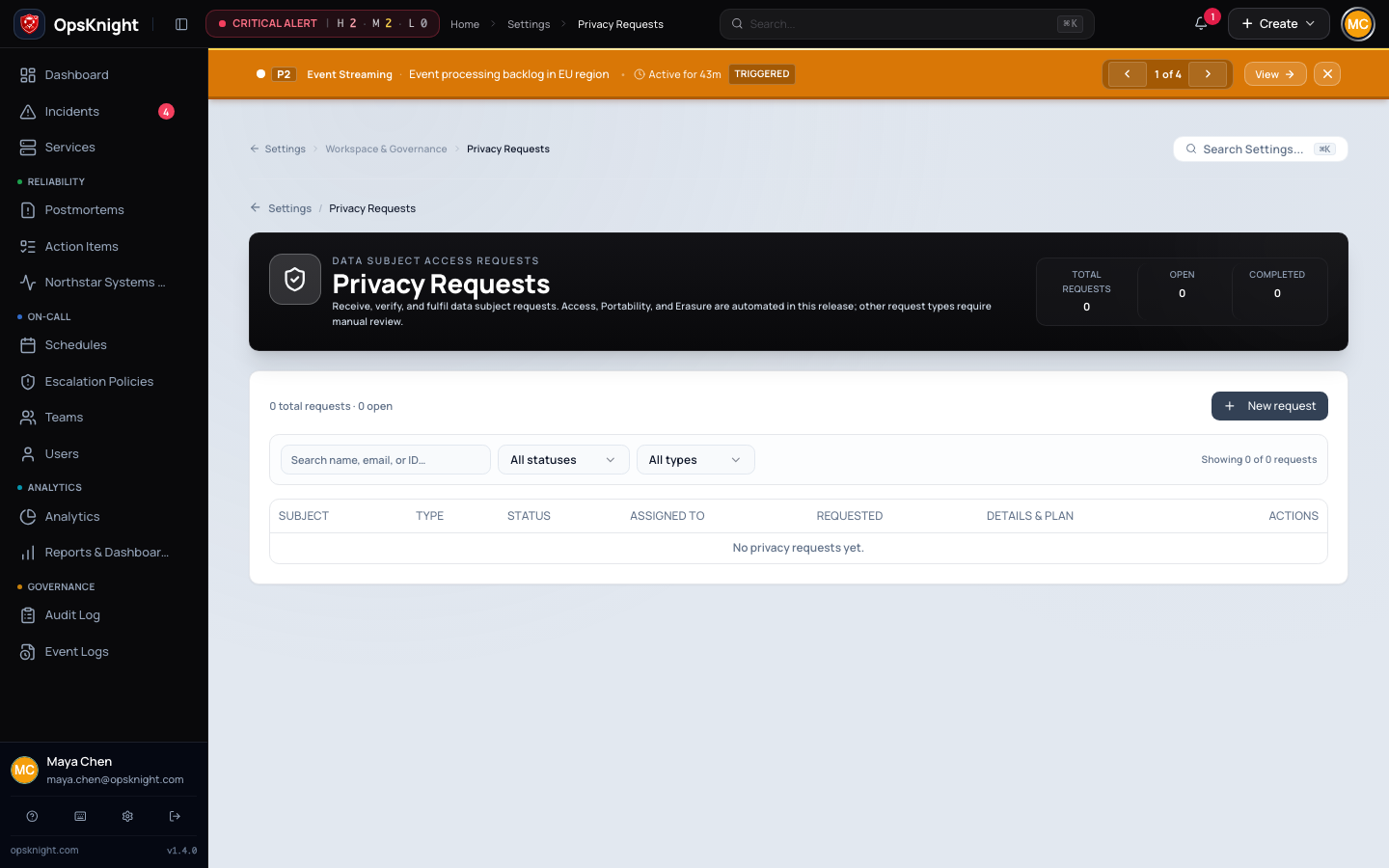
Configure the request
- Select New Request.
- Choose User or Status page subscriber as the subject type.
- For a user, search for and select the active account. For a subscriber, enter the exact status-subscriber CUID obtained through the approved status-page administration process. The subject cannot be changed after creation.
- Choose
ACCESS,PORTABILITY,RECTIFICATION,ERASURE,RESTRICTION, orOBJECTION. The form marks manual-only combinations as not yet automated. - Add notes that explain scope without copying unnecessary sensitive data.
- Create the request; it starts as
RECEIVEDwith verification pending. - Move it to
IDENTITY_VERIFICATIONand perform the organization's identity check. - Record the verification method/reference and mark verification complete.
- Assign an eligible active administrator or auditor.
- Use
IN_REVIEWfor legal/scope review or move a verified request toPROCESSINGfor fulfilment.
What OpsKnight does
Every lifecycle change is validated by the privacy state machine and audited. Entering PROCESSING requires verifiedAt. A request leaving identity verification for review records verification; moving to blocked/rejected does not falsely stamp verification. Terminal states are COMPLETED and REJECTED. For STATUS_SUBSCRIBER, OpsKnight tracks this lifecycle but does not generate an automated export or execute automated erasure; the operator must document the manual result before completion.
Verify the request
Reopen the detail dialog and confirm subject, type, assignee, status, verification method/reference, requested date, and audit history. Search for the subject and verify the filtered board returns the request.
Change or undo
Use BLOCKED when fulfilment is temporarily impossible and record the operational/legal reason. Return it only through an allowed transition. Use REJECTED for a final refusal and supply the rejection reason. Do not mark COMPLETED until export, erasure, or the manual process has produced auditable evidence.
Troubleshooting
- Processing is unavailable: identity has not been verified.
- Assignee is missing: only active users with privacy-management capability are candidates.
- Transition is rejected: follow the allowed lifecycle instead of skipping states.
- User subject is absent: the creation picker returns active users; search and confirm the account state.
- Subscriber subject is rejected: confirm the exact subscriber CUID rather than entering an email address or status-page ID.
- Subscriber automation is unavailable: this is the supported 2.0 boundary; fulfil manually and attach the external evidence to the approved case record.
Next steps
Last updated for v2.0.0
Edit this page on GitHub