
Resolve an incident
Close active response with an auditable resolution record and understand how correlated recurrence reopens work.
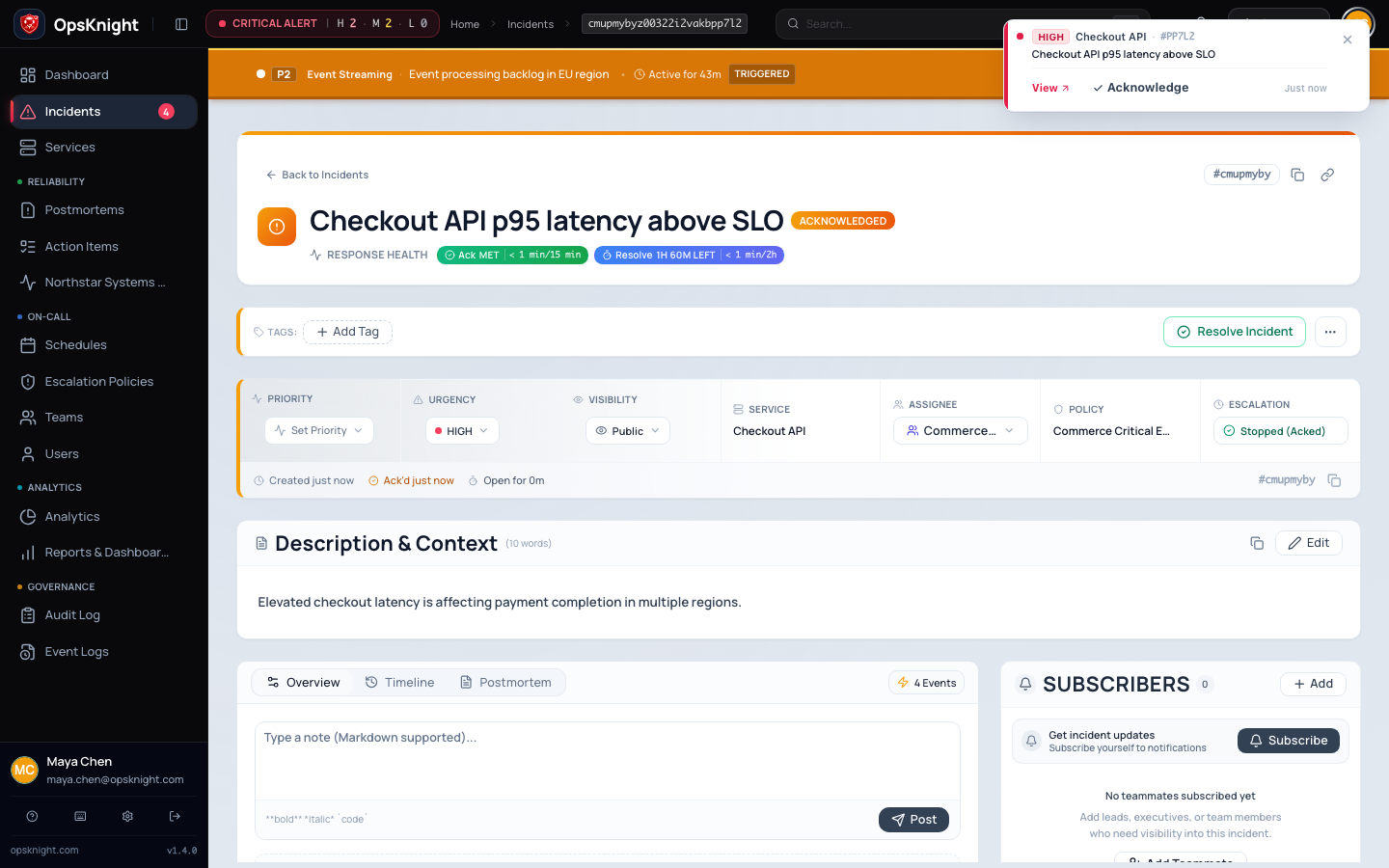
Resolve an incident only after service health is restored or the triggering condition is conclusively no longer actionable. Resolution ends active response and escalation, but preserves the timeline, first-response measurements, and prior lifecycle history.
Prerequisites
Before resolving, confirm:
- The mitigation or permanent fix has been verified using service-level evidence.
- Monitoring has remained healthy for the observation period your team requires.
- The current owner and relevant responders agree that active response can end.
- Required incident custom fields are complete. Human/operator resolution is blocked when required values are missing.
- Important decisions, customer impact, and remaining risks are in the timeline.
- Follow-up work has an owner, preferably as an action item rather than hidden in the resolution note.
You need responder-level incident management access or broader authorization.
Open the feature
Open Incidents → select the incident and locate Resolve in the response controls.
Configure and resolve the incident
- Open the incident and review its latest timeline entries, status, assignee, and response health.
- Select Resolve.
- Enter a resolution note from 10 to 1,000 characters.
- State what recovered, what action caused or confirmed recovery, and any known remaining risk. Avoid unsupported root-cause conclusions; a postmortem can refine them later.
- Confirm the action once and wait for the page to update.
A useful note is specific: Rolled back checkout-api release 2026.09.29.2; 5xx rate returned below 0.2% for 20 minutes. Follow-up tracks the invalid cache configuration.
Verify resolution
Confirm:
- Status is Resolved and the resolution timestamp is present.
- The resolution summary shows the note and actor.
- The timeline contains the terminal event.
- Escalation is Completed and no next escalation is scheduled for the old generation.
- First acknowledgement and other SLA history remain visible; resolution does not rewrite them.
- Connected ChatOps, Jira, notification, postmortem, and status projections update as configured.
Do not repeatedly resolve because a provider card is stale. Verify canonical state, then diagnose the projection.
When the condition returns
The 2.0 Web incident page has no manual Reopen action. Do not look for a button or describe a direct Web reopen procedure.
If a new manual incident report is created with the same service and explicit deduplication key within the 30-minute reopen window, OpsKnight reopens the recently resolved incident. Normal monitoring and integration alert trigger ingestion does not reopen a resolved incident; it creates a new incident. An authorized API client can also return a resolved incident to active response by setting its status to OPEN with PATCH /api/incidents/{id}.
After a supported reopen, verify status is Open, a new escalation generation and next-escalation time are present, and the earlier resolution, timeline, and incident-lifetime SLA history remain intact. Add recurrence evidence through a supported timeline note/comment path.
Undo or correct a resolution
There is no Web undo button. If the same condition returned, use a manual creation report with the matching deduplication key within the 30-minute window or an authorized API status update to OPEN. If the resolution note is incomplete, preserve the original audit record and add corrective context to the timeline rather than rewriting history. Create a separate incident when the new event has a different operational identity.
Troubleshooting
Resolve is disabled
Make the resolution note at least 10 characters and no more than 1,000. If the note is valid, complete every required custom field and verify your permission and incident scope.
Resolution conflicts with another update
Refresh and read the new state. Another responder may already have resolved, snoozed, suppressed, or otherwise changed the incident. Do not overwrite newer operational context without coordination.
Notifications continue after resolution
Confirm the incident is resolved and its escalation generation completed. Then inspect queued jobs and delivery operations for stale or already-dispatched work. A notification that was handed to a provider before resolution cannot always be recalled.
There is no Reopen button
This is expected in 2.0. If manual recurrence reporting is needed, create a new manual incident specifying the original service and deduplication key within the 30-minute window, or use an authorized public API status update (PATCH /api/incidents/{id} with status OPEN). Do not change state by editing a provider message.
The incident reopened automatically
Compare the service, deduplication key, resolution time, and recent manual creation report. A manual report for the same service and key within the 30-minute reopen window reopens recent context by design. Normal automated alert ingestion creates a new incident instead. Fix an overly broad key rather than repeatedly closing the incident.
Next steps
Communicate final status, reconcile any public status incident, review delivery failures, and decide whether a postmortem is required. Track remediation through owned action items with due dates.
See Track incident action items, Postmortem workflow, and the incident lifecycle.
What OpsKnight does
OpsKnight validates required custom fields and current state, records the resolution actor/summary/timing, ends active escalation, and reconciles notifications/ChatOps/status projections while preserving history.
Last updated for v2.1.0
Edit this page on GitHub