
Create and configure the status page
Configure the single supported status page, services, routing, access, and publication state.
OpsKnight 2.0 supports one status page. The control center may use plural route names, but it deliberately disables additional creation after the first page exists.
Before you begin
List customer-facing services, choose a stable slug/domain, decide public versus authenticated access, and prepare branding/contact ownership. You need administrator access.
Open the feature
Open Settings → Status Pages. If no page exists, select Create Status Page; otherwise open the existing page workspace.
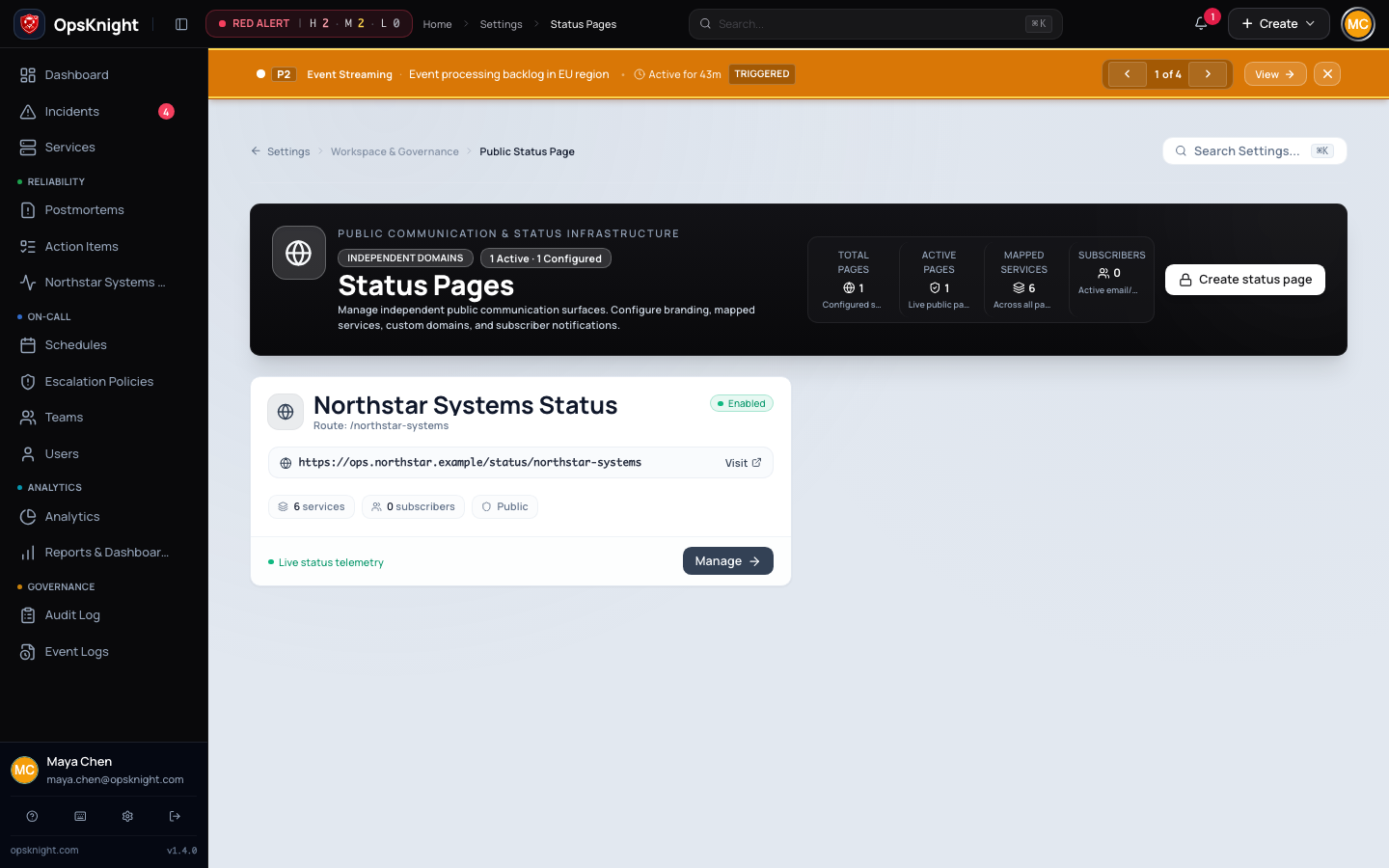
Configure the page
- Create the page in draft/disabled state with a clear public name and unique slug.
- Map services, set their order, and enable Show on page only for customer-relevant services.
- Configure branding, organization/contact details, allowed incident fields, and privacy mode.
- Choose public access or Require authentication. Test restricted access in a signed-out browser.
- Configure the default route and optional subdomain/custom domain only after DNS/TLS planning.
- Preview the live snapshot, then enable/publish the page.
What OpsKnight does
The page workspace builds a public/preview snapshot from mapped services, incidents, announcements, privacy policy, and routing configuration. Disabled pages remain administrative drafts. Default routing, slug, subdomain, and custom domain are distinct resolution paths.
Verify the page
Open the exact public URL in a private browser. Confirm access behavior, branding, service order/status, announcement visibility, and absence of private fields. Trigger and resolve a synthetic incident and verify the projected update.
Change or undo
Disable the page before risky routing/privacy changes. Preserve the old domain until the new route is verified. Removing a service hides future projection but does not erase historical operational records.
Troubleshooting
- Cannot create another page: one page is supported in 2.0; configure the existing page.
- Page unavailable: confirm enabled state, route resolution, DNS/TLS, and access mode.
- Service missing: map it and enable Show on page.
- Private data visible: disable the page, correct allowed fields/privacy, rebuild snapshot, and retest signed out.
Next steps
Last updated for v2.0.0
Edit this page on GitHub