
Understand Microsoft Teams incident cards
Learn the content, lifecycle, delivery, update, and source-of-truth behavior of normal OpsKnight Adaptive Cards.
A normal service-destination Adaptive Card presents current incident context such as status, service, urgency, assignee, priority, description, and creation time. It is not itself a war room.
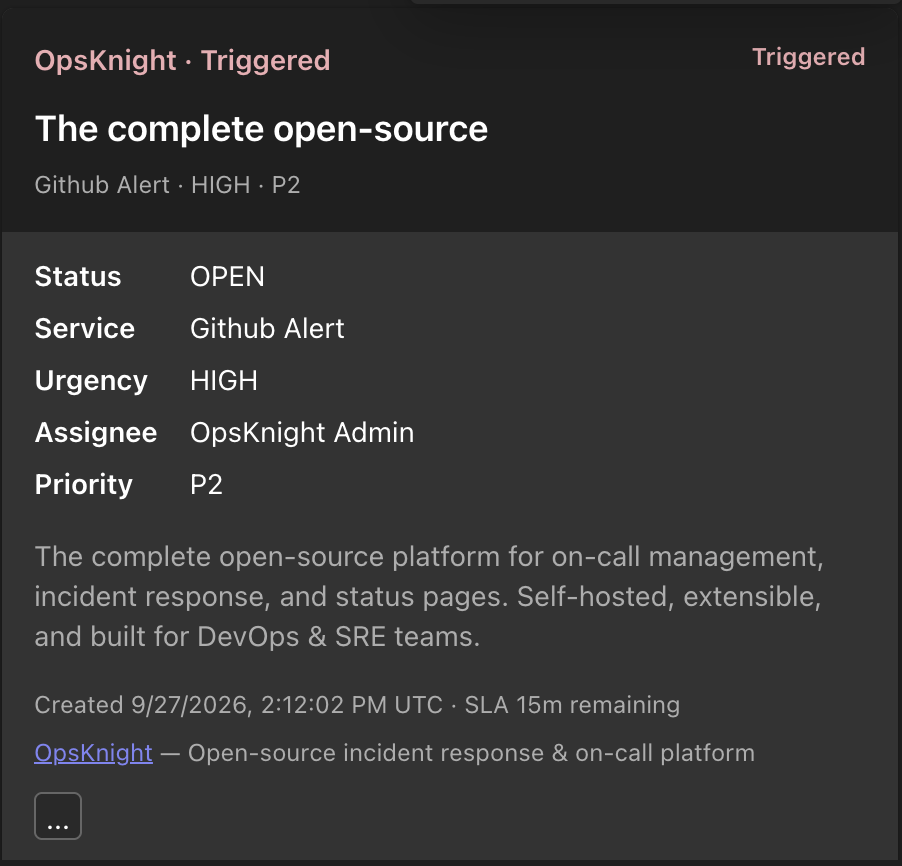
OpsKnight remains authoritative. Cards are provider projections associated with tenant installation, destination, service URL, and activity identity. Lifecycle actions reconcile all projections; manually changing/deleting Teams content does not mutate the incident.
Normal card versus war-room card
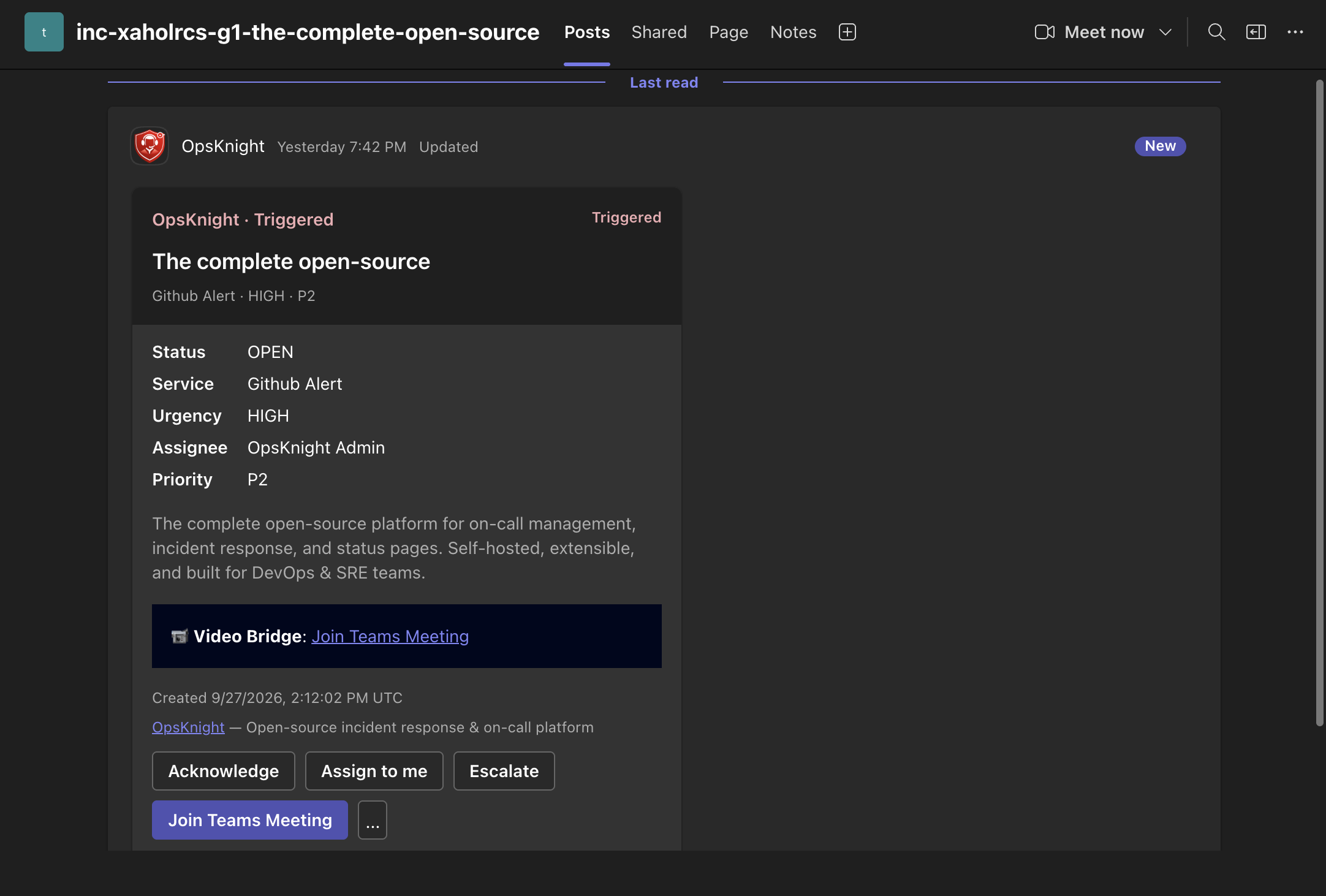
Routine destinations receive lifecycle cards. War-room provisioning creates an incident-scoped channel and may show a video bridge plus responder actions. War rooms require additional resource-specific consent and a designated owner destination.
Delivery and identity
Viewing does not require an OpsKnight identity link. User-attributed actions do. OpsKnight validates Bot token, tenant, service URL, installation, destination, activity/action schema, mapped user, authorization, and incident transition.
Provider throttling, expired credentials, disabled installations, changed service URLs, deleted activities/channels, or worker failures can delay projection without changing incident state. Inspect OpsKnight operation/delivery state before retrying.
Related guides
Last updated for v2.0.0
Edit this page on GitHub