
Manage API keys
Create, scope, rotate, inspect, and revoke OpsKnight API credentials.
Before you begin
Sign in as an administrator and identify the consumer owner, endpoints, minimum scopes, expiration, and secret manager. Effective authority is the intersection of key scopes and its owner's current product permissions.
Open the feature
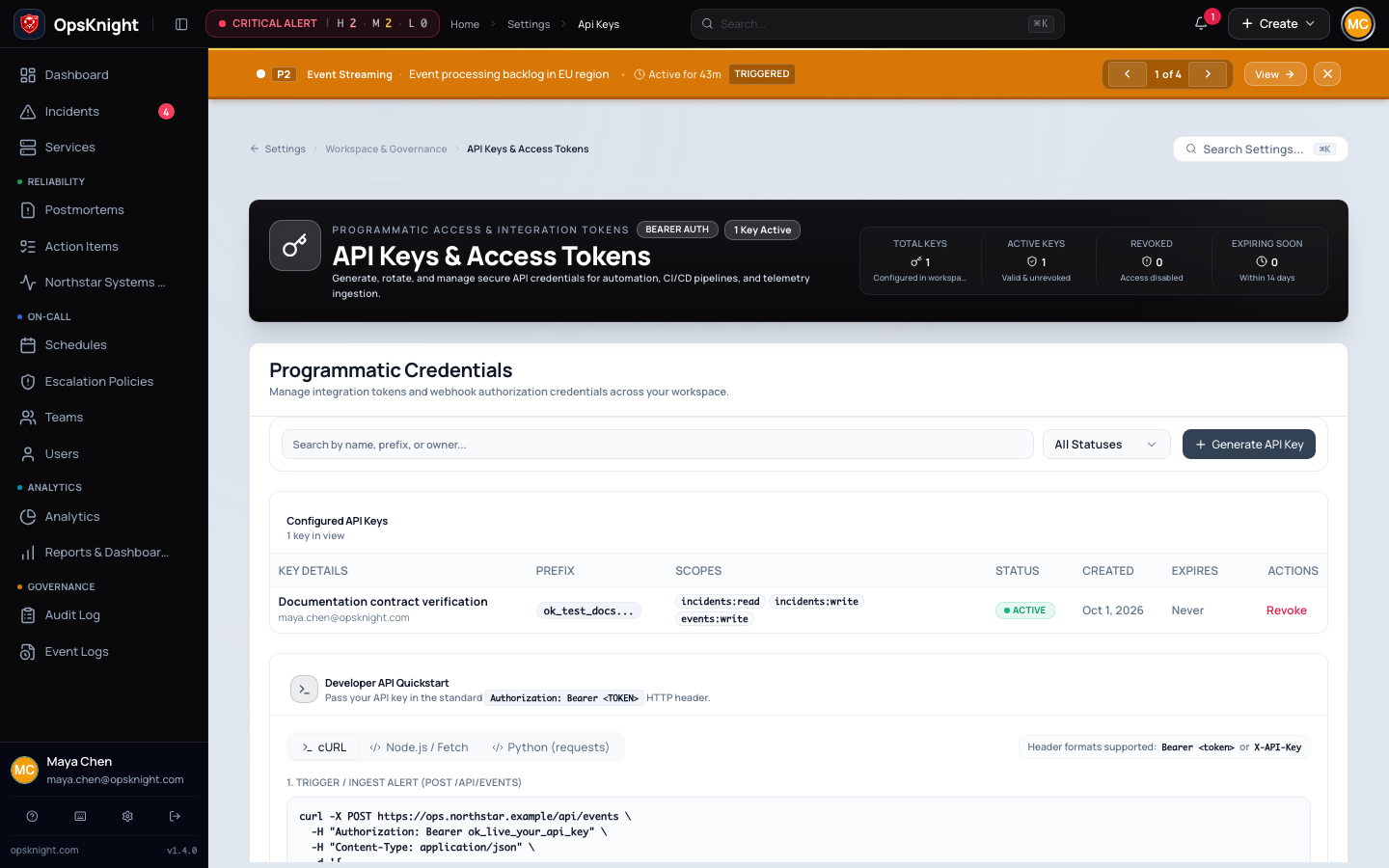
Open Settings → API keys. Review existing name, prefix, owner, scopes, expiry, status, and last-used evidence.
Configure and create a key
- Open Settings → API keys and create a key.
- Name the system/environment/owner.
- Select minimum scopes and an operational expiration.
- Copy the secret once directly into a secret manager.
- Make a test request and verify Last used changes.
The secret is displayed once. Store it in a secret manager; OpsKnight retains a
keyed hash, the visible prefix, owner, scopes, expiration, and last used time.
Send the secret as Authorization: Bearer <key> or X-API-Key where documented.
What OpsKnight does
OpsKnight stores a keyed hash rather than a retrievable secret, plus prefix, owner, scopes, expiration, and last-used evidence. Owner deactivation or permission changes can reduce/stop key authority.
Verify it worked
curl --fail --show-error \
  -H "Authorization: Bearer $OPSKNIGHT_API_KEY" \
  'https://opsknight.example.com/api/incidents'
Confirm the expected response and Last used update. Where safe, verify an operation outside scope returns 403.
Revoke or rotate
- Create a replacement with the same minimum scopes.
- Update the consumer and verify its last used value changes.
- Revoke the old key.
- Confirm the revocation in the audit log.
Revocation is immediate. It does not delete audit history. If a secret is exposed, revoke it before investigating the consumer.
Troubleshooting
401: the secret is missing, malformed, expired, revoked, or owned by an inactive user.403: authentication succeeded but the key lacks a required scope or its owner lacks product permission.- No last used update: verify the header, endpoint, and that the request reached this OpsKnight installation.
See Permissions and API scopes.
Next steps
- Record owner, expiry, and rotation schedule.
- Review audit logs and permissions.
Last updated for v2.0.0
Edit this page on GitHub