
Configure incident custom fields
Create, validate, display, edit, and safely remove organization-specific incident fields.
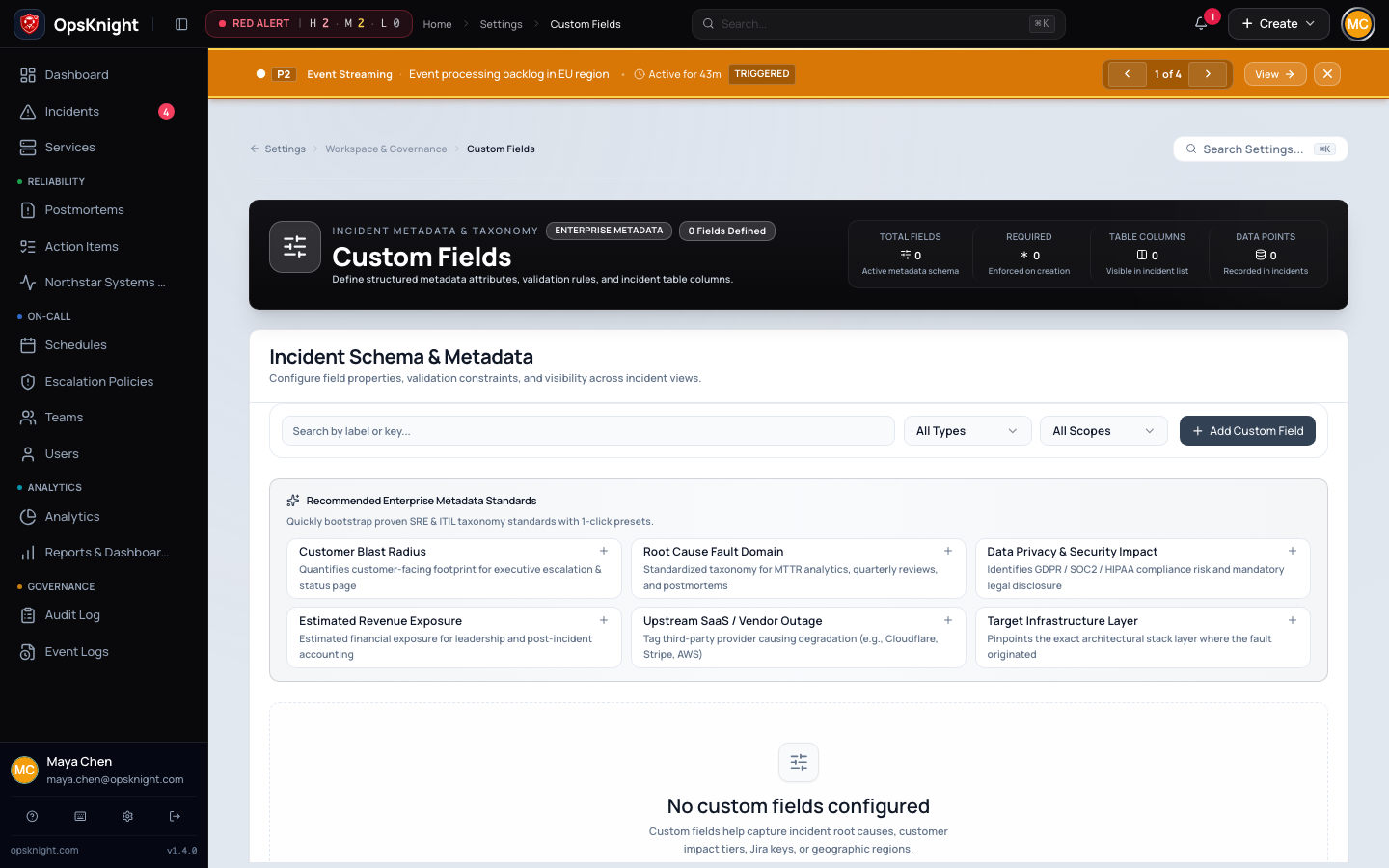
Custom fields add structured, organization-specific metadata to incidents—for example environment, customer impact, change URL, or incident commander email. Administrators define fields; permitted responders enter values during incident creation or on the incident detail page.
Before you begin
Sign in as an ADMIN. Decide the field owner, data classification, permanent key, type, default, and whether responders need it in the incidents table. Avoid secrets and sensitive personal data: field values can appear in operational views, exports, and—only when separately enabled—status-page output.
Create a field
- Open Settings → Custom Fields.
- Select Add Custom Field.
- Enter a display Name of 1–200 characters.
- Enter a unique Key of 1–100 letters, digits, or underscores. Spaces, hyphens, and punctuation are rejected.
- Choose one of the seven types:
TEXT,NUMBER,DATE,SELECT,BOOLEAN,URL, orEMAIL. - For
SELECT, add the allowed options in the order responders should see them. - Optionally set Required, a Default value, and Show in incident list.
- Save, create a synthetic incident, and test both a valid and invalid value.
Keys are unique across the workspace. Treat a key as an integration contract: the UI does not allow changing a field's key or type after creation.
Validation and stored values
TEXT: leading and trailing whitespace is removed; the remaining text is stored.NUMBER: the value must be a finite JavaScript number. It is normalized withString(number), so01.50becomes1.5;NaNand infinity are rejected.DATE: the value must be accepted byDate.parse. OpsKnight stores the normalized UTC ISO timestamp.SELECT: when options exist, the value must exactly equal one configured option, including case.BOOLEAN: acceptstrueorfalsecase-insensitively and stores lowercasetrueorfalse.URL: must begin withhttp://orhttps://.EMAIL: must match the current email form, contain no whitespace, and include an@plus dotted domain. It is stored lowercase.
Empty input becomes no value. An empty required field is rejected with <field name> is required. Required custom fields also block human/operator incident resolution until completed. Automated upstream resolution is not subject to that human completion gate.
The create-definition endpoint accepts a default as text. Test that the default is valid for its type before relying on it; incident value validation is authoritative.
Edit a definition
From Settings → Custom Fields, edit the name, required flag, default, select options, incident-list visibility, or order. Existing stored values are not rewritten when a default or option list changes. Before removing a select option, search retained incidents and integrations for that value.
Incident-list and status-page visibility
Show in incident list controls the compact internal incidents table; it does not make the field public. Status-page publication is configured separately on the single status page through its privacy settings: custom fields must be enabled and the field must be in the allowed list. Keep customer identifiers, security context, emails, and internal runbook data out of public projections.
Delete a field
Deletion is destructive. The API deletes every CustomFieldValue associated with the definition and then deletes the definition itself. Those historical values disappear from existing incidents; a later field with the same key does not restore them.
Before confirming deletion, export anything that must be retained, remove the field from status-page privacy settings and external workflows, and check templates/runbooks that tell responders to populate it. Confirm the custom_field.deleted audit event afterward.
Troubleshooting
- “A custom field with this key already exists”: locate the existing definition or choose a genuinely new stable key.
- Key validation fails: use only letters, numbers, and underscores, with no spaces or hyphens.
- A number changes format: normalization stores the numeric value, not presentation formatting; use
TEXTwhen leading zeros are meaningful. - A date shifts timezone: date input is normalized to a UTC ISO timestamp. Include an explicit timezone when supplying an API value.
- A select value is rejected: match the configured option exactly and refresh the incident form after an administrator changes options.
- An incident cannot resolve: complete every required custom field on the incident detail page.
- A field appears publicly: disable custom-field publication on the status page or remove it from the allowed list, then verify the newly published snapshot.
Last updated for v2.0.0
Edit this page on GitHub