 OpsKnight
Acknowledge. Assign. Investigate.
Acknowledge the incident, assign a responder and record the investigation. Keep notes, watchers and the operational timeline together so the next person can understand the response.
Read the operational guideINCIDENT COMMAND
Keep ownership, responders, timeline, notes and action items together from first alert to resolution.
WHAT IT SOLVES
An incoming signal belongs to a service. Priority, urgency, ownership and related alert context give the responder a place to begin instead of another isolated notification.
Understand the capability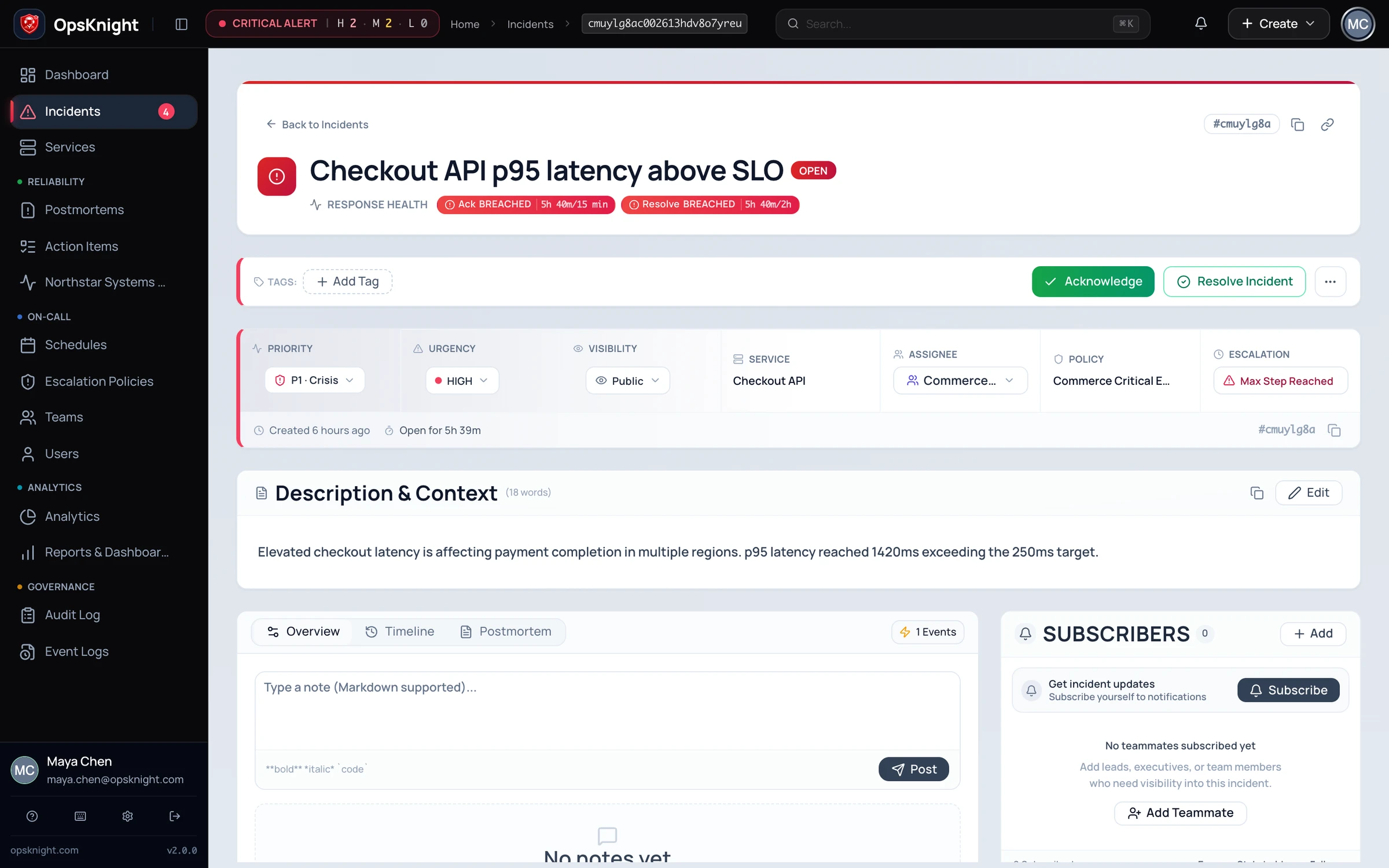
HOW IT WORKS
EXPLORE A WORKFLOW
Start with the signal, attach it to the affected service, classify the incident and make ownership explicit before the response fragments across tools.
OPERATIONAL DEPTH
The details below are the parts teams need when evaluating how the capability behaves during real response, failure, and handoff.
Acknowledge the incident, assign a responder and record the investigation. Keep notes, watchers and the operational timeline together so the next person can understand the response.
Read the operational guideUse the documented response-policy and SLA workflow to inspect acknowledgement and resolution timing. Review the applicable policy and support-hours context before interpreting a breach.
Read the operational guideCreate a provider-backed war room when collaboration is needed. OpsKnight remains authoritative for incident state while Slack or Teams projects the response into the conversation.
Read the operational guideResolve the incident, preserve the response timeline and carry follow-up work into a postmortem with accountable owners.
Read the operational guideKNOW BEFORE PRODUCTION
Use a test service and representative provider configuration before treating incident command as production incident infrastructure.
Run OpsKnight on infrastructure you control.
v2.0.0 · AGPL-3.0-only · Self-hosted · 28 inbound integrations