 OpsKnight
Install the progressive web app.
Follow the device and browser-specific installation guide. Mobile is a PWA, not a separate app-store product.
Read the operational guideMOBILE
Install the progressive web app and acknowledge, triage and follow incidents from your phone.
WHAT IT SOLVES
Use the mobile incident routes with the same installation identity and permissions. Keep active incidents and their context accessible away from the desktop.
Understand the capability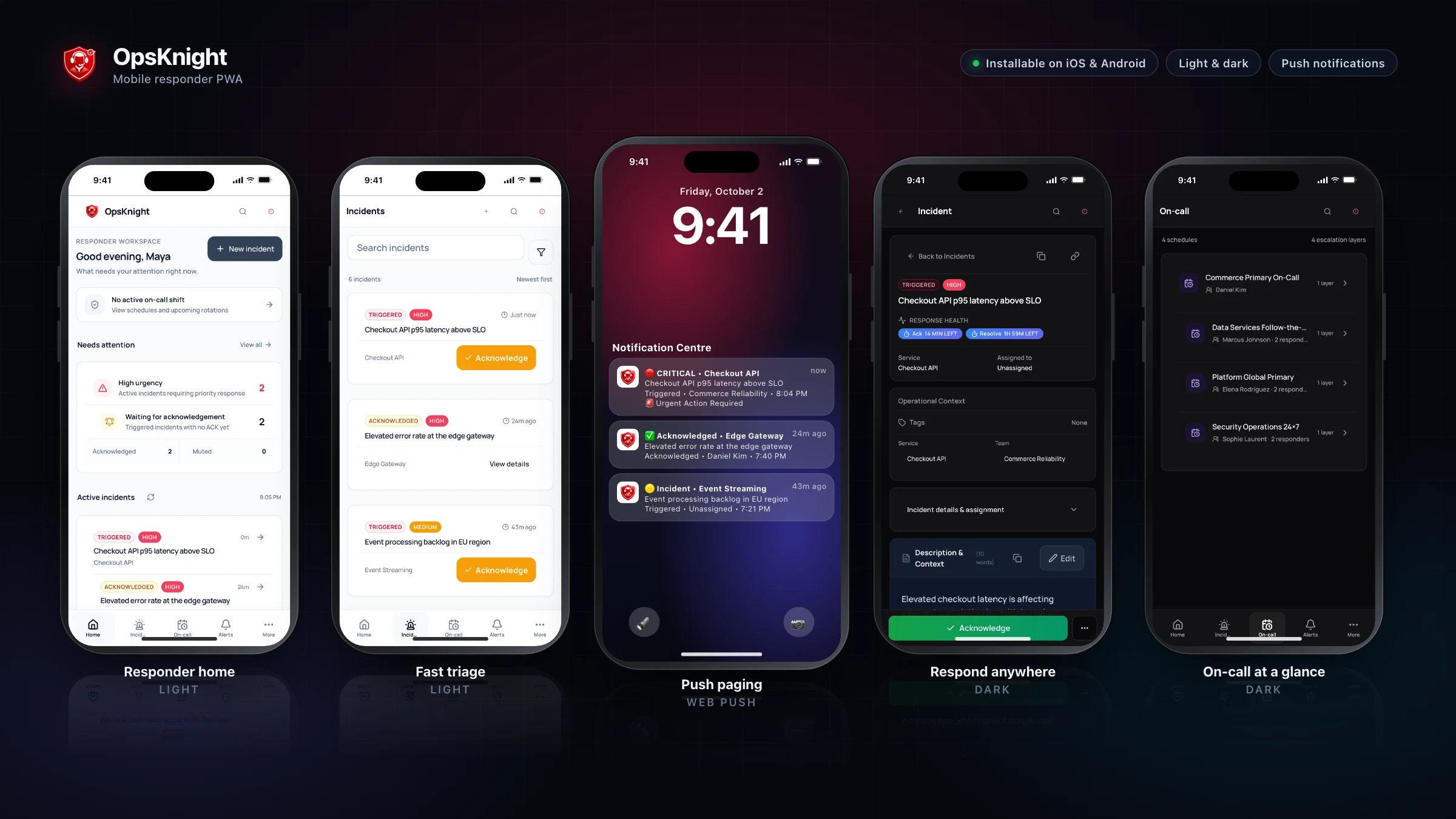
HOW IT WORKS
EXPLORE A WORKFLOW
OpsKnight mobile is an installable PWA rather than a separate App Store or Play Store application.
OPERATIONAL DEPTH
The details below are the parts teams need when evaluating how the capability behaves during real response, failure, and handoff.
Follow the device and browser-specific installation guide. Mobile is a PWA, not a separate app-store product.
Read the operational guideEnable Web Push, grant the required browser permission and validate the device endpoint with the notification workflow. Delivery behavior depends on the browser and device.
Read the operational guideTest notifications and incident access on the actual phone. Device permission, endpoint registration and product authorization are separate checks.
Read the operational guideKNOW BEFORE PRODUCTION
Use a test service and representative provider configuration before treating mobile as production incident infrastructure.
Mobile is an installable progressive web app (PWA). Device and browser notification behavior is documented in the mobile guides.
Run OpsKnight on infrastructure you control.
v2.0.0 · AGPL-3.0-only · Self-hosted · 28 inbound integrations