STATUS PAGE

Give customers clarity.

Publish service status, incident updates and maintenance without exposing your internal response timeline.

WHAT IT SOLVES

Internal response. Deliberate public communication.

Map services to customer-facing components and choose approved impact wording. Projection controls the fields that cross the privacy boundary; it does not serialize the internal incident directly.

Understand the capability
01Components and service mapping
02Incident and maintenance updates
03Subscribers, branding and uptime
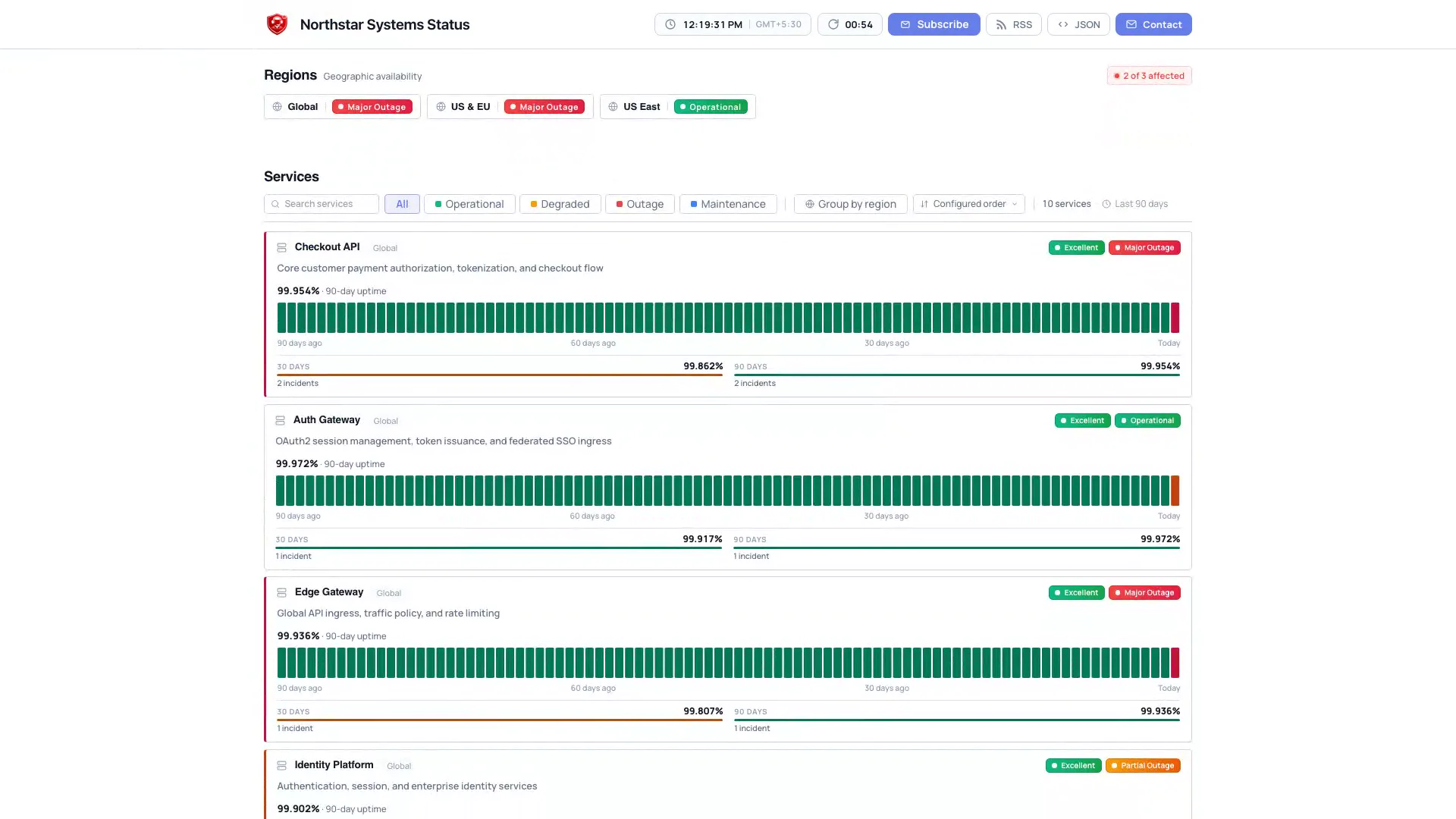
PUBLIC STATUS PAGE Real-time uptime, components, history and maintenance
OpsKnight public status page displaying real-time system status, operational services, uptime history, and active incident announcements
OpsKnight public status page displaying real-time system status, operational services, uptime history, and active incident announcements.
Live product proof

Open the public OpsKnight status page to verify the customer-facing experience separately from this synthetic product view.

View live status ↗

HOW IT WORKS

A concrete operational path, not a feature list.

PUBLIC INCIDENT STATEProject approved customer context without exposing the internal incident record.
01Operational
02Investigating
03Monitoring
04Resolved
ComponentsSubscribersMaintenance

EXPLORE A WORKFLOW

  1. 01Internal incident
  2. 02Approved public fields
  3. 03Status projection
  4. 04Customer page

Selected fields cross the privacy boundary. Verify the public page while signed out.

OPERATIONAL DEPTH

Status page, beyond the happy path.

The details below are the parts teams need when evaluating how the capability behaves during real response, failure, and handoff.

01

Publish, verify, correct, resolve.

Confirm affected components, publish a scoped update and open the page through the audience’s hostname while signed out. Follow with a correcting update or resolution and verify the public state again.

Read the operational guide
02

A page and its subscribers are separate outcomes.

Subscriber and webhook delivery are asynchronous and separate from page rendering. Review verification, unsubscribe and API-access behavior, then inspect delivery independently.

Read the operational guide
03

Brand the customer-facing surface.

Configure the installation’s supported status page, service mapping and privacy options. Verify DNS, TLS and the public URL when using a custom domain.

Read the operational guide
04

History with an operational boundary.

Service availability and incident history give customers context. Check projection freshness, privacy settings and documented metrics before treating the public view as current.

Read the operational guide

KNOW BEFORE PRODUCTION

Validate the boundary, not just the happy path.

Use a test service and representative provider configuration before treating status page as production incident infrastructure.

1 status page per OpsKnight 2.0.0 installation.

  1. 01Verify approved public fields while signed out through the audience hostname.
  2. 02Test subscriber or webhook delivery separately from successful page rendering.
  3. 03Confirm the one-page-per-install boundary and validate DNS/TLS when using a custom domain.
DOCUMENTATIONSetup, authorization, limits, and troubleshooting.
Explore status page documentation

Your incidents should belong to you.

Run OpsKnight on infrastructure you control.

v2.0.0 · AGPL-3.0-only · Self-hosted · 28 inbound integrations