 OpsKnight
SOVEREIGN OPERATIONS · SELF-HOSTED ON-CALL
Self-Hosted On-Call Management.
Run reliable on-call rotations, multi-tier escalation policies, and voice telephone paging inside your own infrastructure. Keep responder contact data, shift schedules, and alert payloads strictly governed within your private network boundary.
Everything your on-call rotation requires, self-hosted.
Designed from the ground up for engineering, DevOps, and SRE teams who require full control over their paging schedules and alerting workflows.
Flexible Rotations
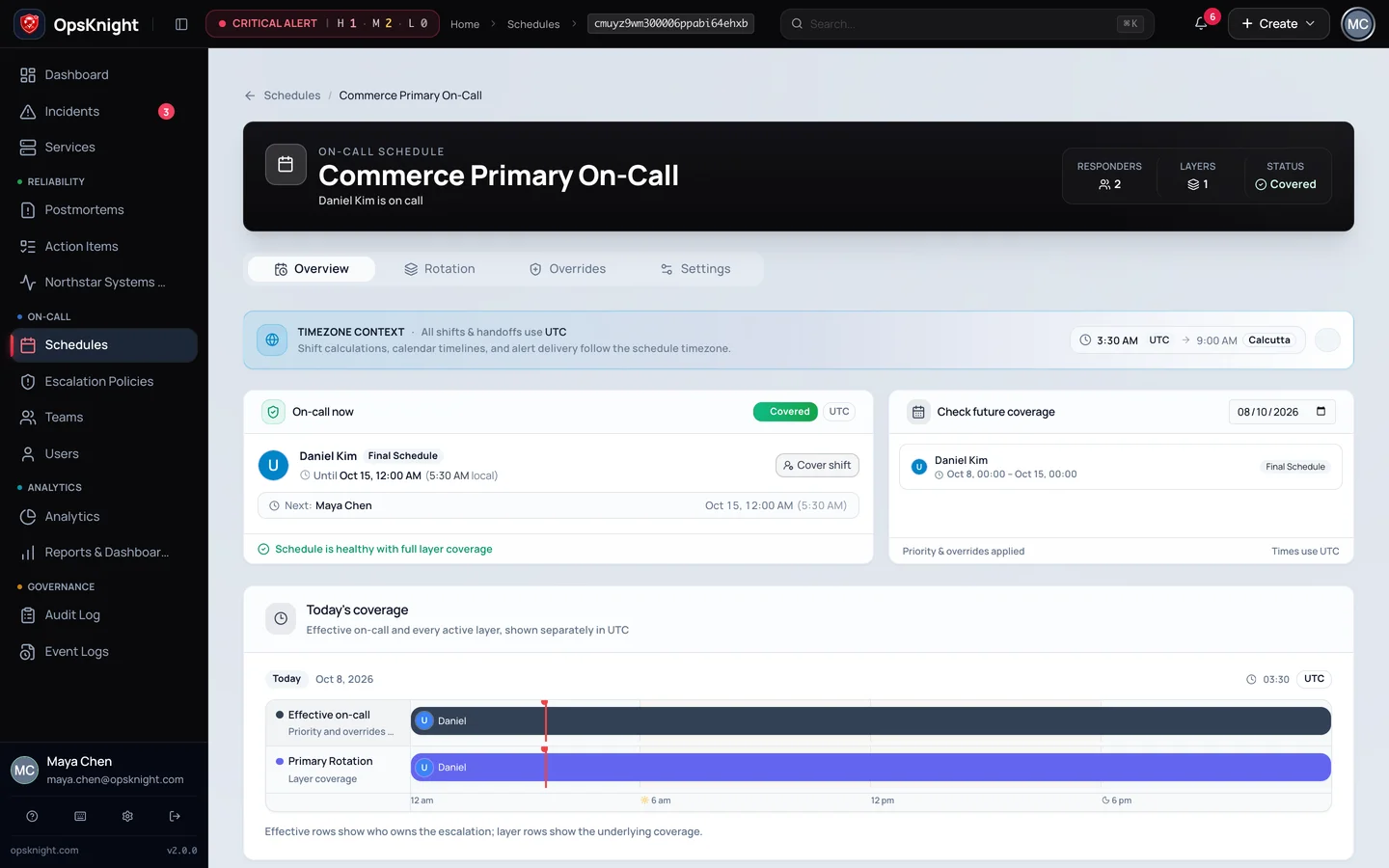
Configure primary, secondary, and shadow rotations with timezone-aware shift handoff times.
One-Click Overrides
Create temporary coverage substitutions for vacations or shift trades without recalculating future schedules.
Multi-Tier Escalations
Define ordered steps with configurable wait delays, fallback targets, and channel-specific delivery rules.
Voice Phone Paging
Call responders directly via Twilio Voice with DTMF dialpad acknowledgment ('Press 1 to acknowledge').
Multi-Channel Delivery
Dispatch alerts simultaneously across Voice calls, SMS, Email, Slack incident channels, and Web Push.
Operational Data Custody
Keep user phone numbers, schedule calendars, and incident payloads inside your own PostgreSQL database, with outbound pages dispatched through chosen provider trust boundaries.
Clarity before and during every shift.
Clear calendar visualization shows who is on duty right now, upcoming shift handoffs, and scheduled overrides. Responders always know their coverage obligations in advance.
Timezone-Aware Transitions
Support follow-the-sun global engineering teams with seamless rotational transitions.
Audit-Logged Changes
Every rotation adjustment, override, and policy modification is recorded in the immutable audit log.
Deploy to fit your infrastructure and reliability SLA.
Choose the deployment architecture that balances operational simplicity with failure isolation.
Single-Node Docker Compose
Web server, API endpoints, background worker queue, and PostgreSQL run on a single host. Ideal for departmental on-call teams or evaluation environments.
Kubernetes Helm / Split Compose
Isolate web/API ingestion from background alert processing and notification workers. Connect to a managed, multi-AZ PostgreSQL database with horizontal pod autoscaling.
4 Steps to Production On-Call Management
From fresh deployment to certified production incident paging.
Configure Responders
Connect enterprise OIDC/SCIM or invite responders. Configure telephone numbers, emails, and device push preferences.
Build Schedules
Create primary and secondary rotation layers with defined weekly handoffs and holiday override rules.
Define Escalations
Set progressive delay timelines (e.g. 0m primary, 5m backup, 15m lead) and map alert routing rules.
Run Synthetic Drill
Trigger a synthetic test alert. Verify phone voice ringing, DTMF keypad acknowledgment, and Health Center logs.
Self-Hosted On-Call Management FAQ
Common questions about deploying, scaling, and operating OpsKnight for on-call rotations.
What is self-hosted on-call management and why do teams choose it?
Self-hosted on-call management means running your scheduling, escalation policies, and incident triage engine on infrastructure you operate (such as your own VPC, bare-metal servers, or Kubernetes cluster) rather than relying on a third-party multi-tenant SaaS vendor. Teams choose it for operational data custody, adherence to organizational governance standards (such as SOC 2 and ISO 27001 evidence requirements), air-gapped network compatibility, and independence from third-party SaaS management consoles.
How do rotation schedules and shift overrides work in OpsKnight?
OpsKnight supports recurring daily, weekly, or custom rotations with timezone-aware handoffs. When an engineer is sick, traveling, or swapping shifts, team members can create temporary schedule overrides that take immediate effect and expire automatically without disrupting the long-term rotation rhythm.
What happens if an on-call responder misses a page?
OpsKnight executes multi-tier escalation policies. For example: Step 1 pages the primary on-call engineer at 0 minutes. If the incident is not acknowledged within 5 minutes, Step 2 automatically alerts the secondary schedule. If still unacknowledged after 15 minutes, Step 3 notifies the entire team channel or designated escalation lead.
How does telephone and SMS delivery operate without a vendor subscription?
OpsKnight integrates directly with your own Twilio account. During an incident, OpsKnight makes automated phone calls to responders with synthesized incident summaries. Responders can press 1 on their dialpad to acknowledge or 2 to resolve immediately. You pay standard telecom rates directly to Twilio with zero vendor markups.
What infrastructure is required to self-host OpsKnight?
A standard Linux VM with Docker and Docker Compose (2+ vCPUs, 4GB RAM) is sufficient for small to mid-sized teams using the integrated topology. For larger organizations and high availability, OpsKnight provides Kubernetes Helm charts and Docker Swarm templates with split web and worker roles connected to a managed PostgreSQL database.
Does OpsKnight integrate with our existing monitoring tools?
Yes. OpsKnight provides verified inbound webhook integrations for Prometheus Alertmanager, Datadog, Grafana, AWS CloudWatch, PagerDuty Events API v2, and generic HTTP webhooks. Outbound collaboration includes interactive Slack channels and Microsoft Teams cards.
Your incidents should belong to you.
Run OpsKnight on infrastructure you control.
v2.0.0 · AGPL-3.0-only · Self-hosted · 28 inbound integrations